Thanks to our unique approach, which we call engine independence, we're constantly developing and adding capabilities to BackupAssist.
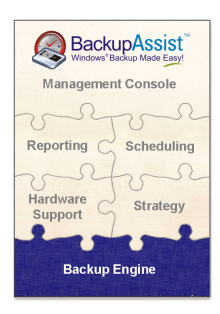
As shown in the jigsaw diagram to the right, we have the ability to "plug in" different back-end engines to provide different backup services.
This means that BackupAssist can perform a wide variety of backup tasks, such as drive-image backups (Server 2008), file-based backups, and application backups.
And as explained in the previous sections of this tour, no matter what engine you're using, you'll always get outstanding management features and reliable strategies.
The following backup services are available in BackupAssist:
 | Drive Imaging and System State backupson Windows Vista and 2008 | 
|
| File-based System, Files, System State and Exchange backupson Windows 2000, XP and 2003 | 
|
| Exchange Mailbox Backupsfor Exchange 2000, 2003 and 2007 | 
|
| SQL Server Backupsfor SQL 2000, 2005 and 2008 | 
|
Our ingenious approach of integrating different backup engines into our software allows us to...
We choose to use the backup engines that are already popular, proven and familiar in the marketplace.
These backup engines store your data in well-known and popular formats - maximum compatibility (more about this later in the Restore section).
What this also means is that there's simply no need to re-educate yourself or re-learn procedures because BackupAssist uses concepts that you already know.
And best of all, we can deliver:
And it also means that all your backup types - be they drive imaging, file backup, or application backup - can be managed from one easy to use console.