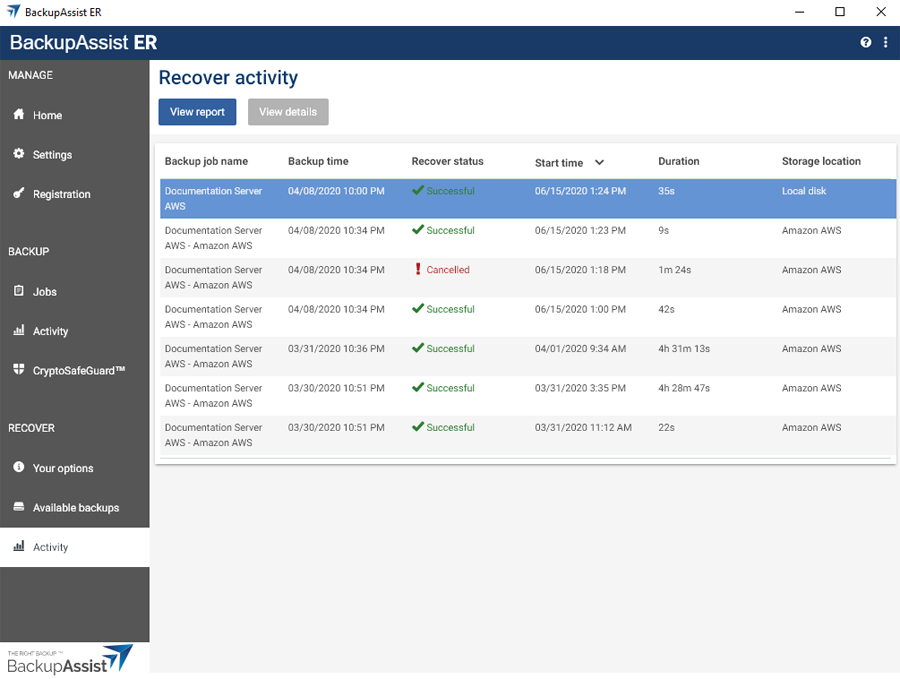
The RECOVER menu's Activity tab lists all recoveries that have been run and shows when the backup used was created, when the recovery ran and how long it took.
When a recovery is running it's progress can be monitored using the View details option, and a recovery will automatically default to this view when it starts.
Once a recovery has finished, a report is generated and can be viewed by clicking the View report button.