Adding a new device group
Device groups are used to group a client's BackupAssist installations in a logical, manageable way. Most device groups set up when you onboard a new client, but you may need to add a device group to an existing client if they expand, or if you need to break up a large device group to make it more manageable.
To view a client's current device groups:
- Log into the Managed Backup Console.
- Click Device groups.
- Select the client from the Select a client drop-down box.
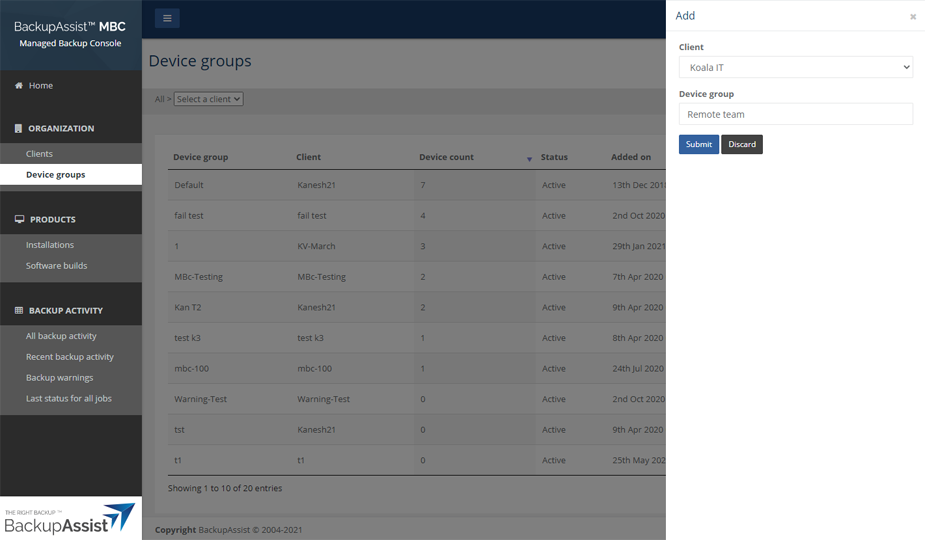
To add a new device group:
- Log into the Managed Backup Console.
- Click Device groups.
- Click the New device group button.
- Use the Client field to select the client's name from the drop-down list.
- Type the device group's name into the Device group field.
- Click Submit.
- Click OK on the confirmation dialog.

Note: Each Device group has an Edit button in the Actions column that is used to change a device group’s client or name.