Debugging Logging and Diagnostics
Enabling Debugging Logging and Compiling Diagnostics
If you happen to encounter errors or problems with your backup jobs while using BackupAssist™ and you cannot discover a resolution to the issue in our troubleshooting guide or online Knowledge Base, we ask that you compile and email us some diagnostic information.The diagnostics that you compile with debugging logging enabled will give us a full listing of all your BackupAssist™ logs and configuration settings
Once you have enabled debugging logging, could you please simulate the backup error either by performing a test/specific backup or waiting for another scheduled backup to occur before compiling the diagnostic information.
To enable debugging logging and compile diagnostic information for us, please carry out the following:
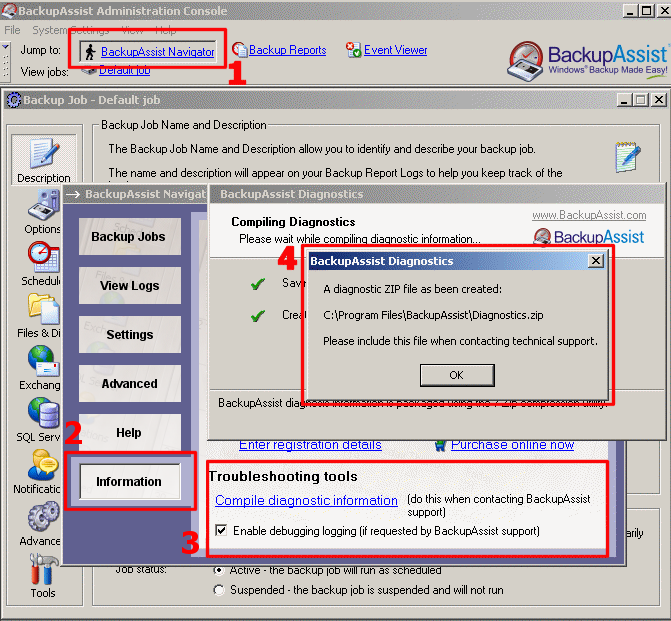
Figure 1: Diagnostics with BackupAssist™