|
Error code |
Product |
Applies to |
|---|---|---|
|
BA4940 |
BackupAssist |
BackupAssist v8 or later. |
Description
BackupAssist has encountered issues when running the Backup verification process.
Resolution
There are 3 possible solutions to this error.
Solution 1 – Attempt a restore from the backup
It is recommended that you attempt a restore from the backup that encountered this warning. If you’re unable to perform a restore from the backup, then there is an issue and the Backup verification error is valid and you should continue to troubleshoot.
To perform a restore from the backup, follow the steps outlined here Files & Apps tab
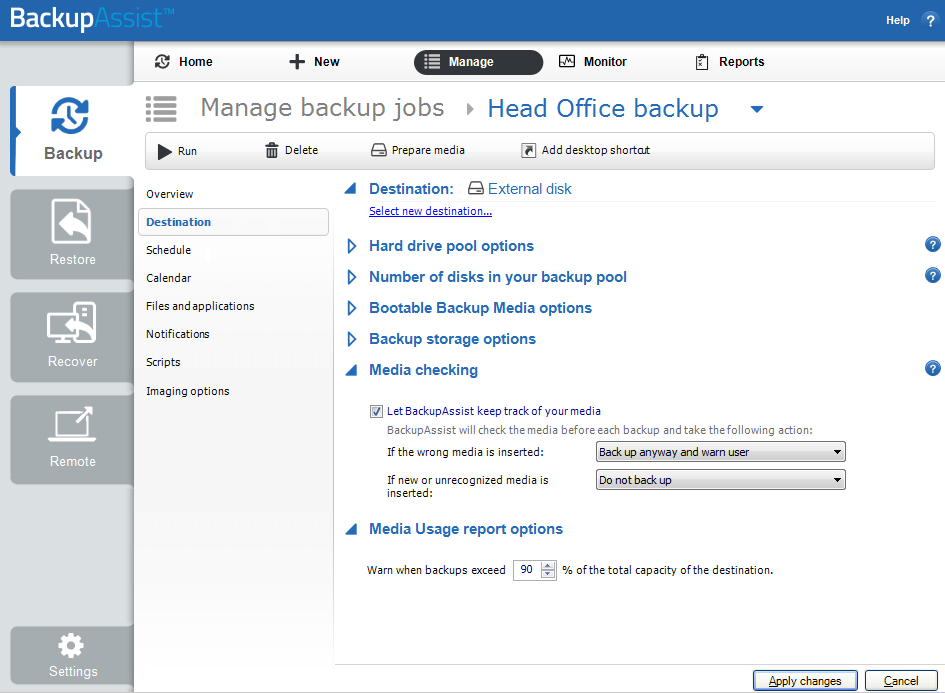
Solution 2 – Try backing up to an alternate destination
Running the same backup to another destination will help isolate the issue further. If running the backup to another destination removes the warning, then this means that the issue is with the original destination, which should be investigated further.
The backup destination is configured as follows:.
- Open BackupAssist.
- Select Manage Backup Jobs
- Select the backup job.
- Select Edit from the top menu
- Select Select new destination from the top menu.
- Follow the prompts to select and configure the new destination.
Solution 3 – Turn off Backup verification
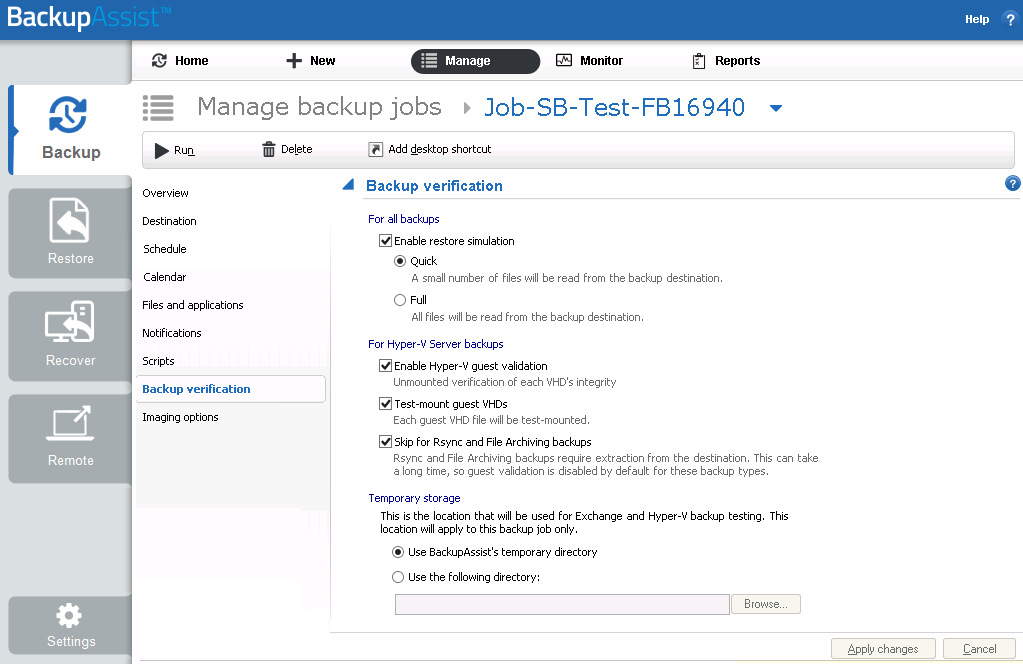
If you are not wanting to run Backup verification during the backup process, it can be disabled as follows:
- Open BackupAssist.
- Select Manage Backup Jobs
- Select the backup job.
- Select Edit from the top menu
- Select Backup verification from the options on the left.
- Untick Enable restore simulation.
|
Last updated |
Created |
Further assistance |
|---|---|---|
|
2nd June 2016 |
06th May 2014 |
BackupAssist Support page |