Getting Support
If you use the contact support option within BackupAssist 365, you can submit your request with system diagnostics. This allows us to better troubleshoot your problem.
To contact support:
- Open the BackupAssist 365 Console.
- Click the Get support tab.
- Fill in the fields.
- Select Include diagnostics and logs with your support ticket (required).
- Click Submit support ticket.
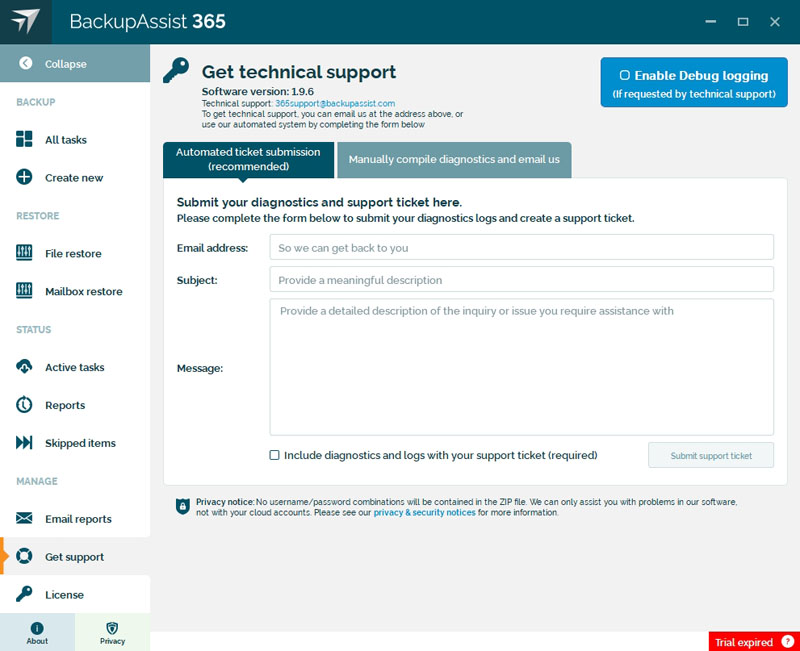
If you are having problems using the automated diagnostic submission, you can select the Manually compile diagnostics and email us tab, and click the Compile diagnostics ZIP file button. This will create a diagnostics file that you can manually email to support@backupassist365.com.
Enable Debug logging should only be selected when advised by technical support. This would be requested as part of troubleshooting a problem.