-
BackupAssist was, by far, the easiest and most reliable backup solution I have used in many years.I have been in the Information Technology field since 1987 and have seen many software vendors come and go. If BackupAssist keeps their products as good as this one then I suspect they will be in the market for the long haul. Thanks, BackupAssist!
John Binford, Information Technology Director, Texas
-
After first several weeks of testing your software, I can say that being in this business since late 80's, I never run into backup tool giving so many options, way above average performance and at the same time staying wonderfully transparent and user friendly! It has been all pleasure working with BackupAssist.
Stan, Government of Ontario, Canada
-
It's a simple, effective, up to date and powerful backup tool... its user friendly interface and ease of use are its greatest strengths... Great Backup-tool, excellent and quick response from your Company!
Peter, Mapivalues NL, The Netherlands
-
Simple. Works. Easy to install and use. Thanks for making a product that makes my job EASIER!!!
Cynthia Calvin, Benchmark Ventures, USA
-
All our clients want is a simple backup strategy that's secure, easy to follow and implement, and BackupAssist provides just that. It's an excellent product, and I do like the emailed logs as it allows me to remotely check progress.
John Dance, Managing director, Rebooted Pty Ltd, Australia
-
The greatest strength is without doubt the easiness of implementing a working backup schedule. Combined with the email capability it provides everything I need for our business' backups at a very competitive price level!
Johan Sandqvist, AB Gyllenhammar & Sahlin, Sweden
-
Have used [competitors' products] - too expensive, complicated architecture for majority of servers we use. Advantages of BackupAssist are simplicity. Cost. Ease of use. Easiest I have used so far - [competitors' products] etc. Complete novice could use this software. Full marks for ease of use / clear explanations.
Kieran Murphy, Powerscreen International Ltd, N. Ireland
-
It's very easy to use. Other solutions were too expensive with almost same capabilities.
Gerardo Arlotto, Jefe de Sistemas Compania Uruguaya de Cemento Portland, Uruguay
-
We needed a low-cost backup solution for one of our servers... BackupAssist has an advantage over expensive software solutions because it's simple, cost-effective and gets the job done without creating a complicated mess like some of the expensive packages do.
Jim Ficarra, Cross Current Corporation, USA
-
BackupAssist's greatest strength is its automation. We needed a solution where the person at the remote site has NO admin rights, just needs to change the tape - nothing else!
Aaron, Direct Wines, UK
-
Found it to be the most cost effective solution to backing up our two Windows servers.
Bruce Segal, Decarie Motors, Canada
-
We tried lots of software. Among those evaluated were [major competitors' products]. All of the packages except yours operated inconsistently (or not at all), several would not read backup tapes it created an verified, some could not access hardware or access was inconsistent, some caused system lockups or blue screen crashes... all of the above packages ranged in price from $900 USD to > $3,000 USD.
Mr. Charles D. Amata Jr., CPTechnologies Inc., USA
-
We needed to backup Exchange and SQL Server but didn't want to spend a fortune.
Gary Baldwin, Davison C E High School, UK
-
I purchased BackupAssist because I was tired of pulling my hair out with [a competitor's] over priced and overly complex software. BackupAssist was the third or fourth demo I downloaded via Google. Ease of use. BackupAssist provided me with all the features I needed with a very easy to use setup/configuration interface. Good job with BackupAssist. Other backup software companies should take follow your lead.
Jeff Lowe, Network Administrator, Indigenous Gaming Regulators Inc., Canada
-
Another Computer consultant evaluated, purchased and recommended this software. Since then, we are so impressed, that as far as I'm concerned any of our new servers will have a license of BackupAssist to make the media management simple.
Scott Young, Network Integration Solutions Inc., Canada
-
Thank you for your product; I am very pleased with my decision to purchase this software. Coming from a non-profit background, it was very affordable compared to other products on the market.
Tricia Sanchez, Westshore Dispute Resolution Center, USA
-
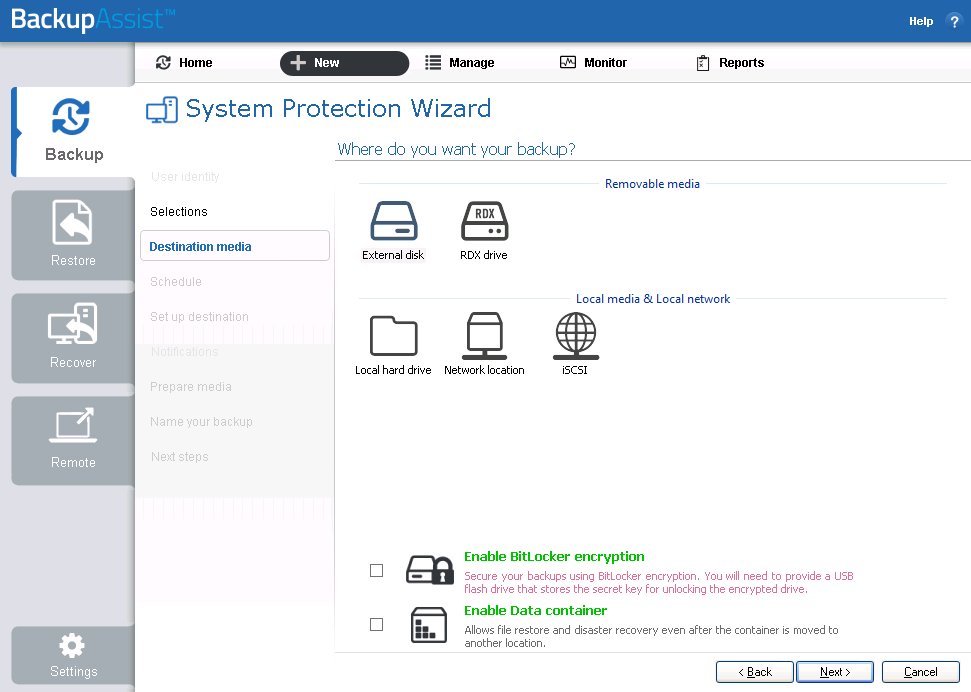
Really great performance. I highly recommend BackupAssist based on my experiences to date, and I know one consultant who has already purchased the software for a Windows server with a Synology DS1815+ NAS unit. I use one myself, with an iSCSI interface connection that makes a large NAS partition appear to be mounted as a local hard drive. BackupAssist finds it easy to locate and use. The price reduction compared to SAN storage is amazing.
Frank Fallon, Dharma Communications, USA

 Belgium
 Canada
 Germany
 Italy
Italy France
 Spain
Spain United Kingdom