
 Belgium
 Canada
 Germany
 Italy
Italy France
 Spain
Spain United Kingdom
Remote Offsite Backup for your Data
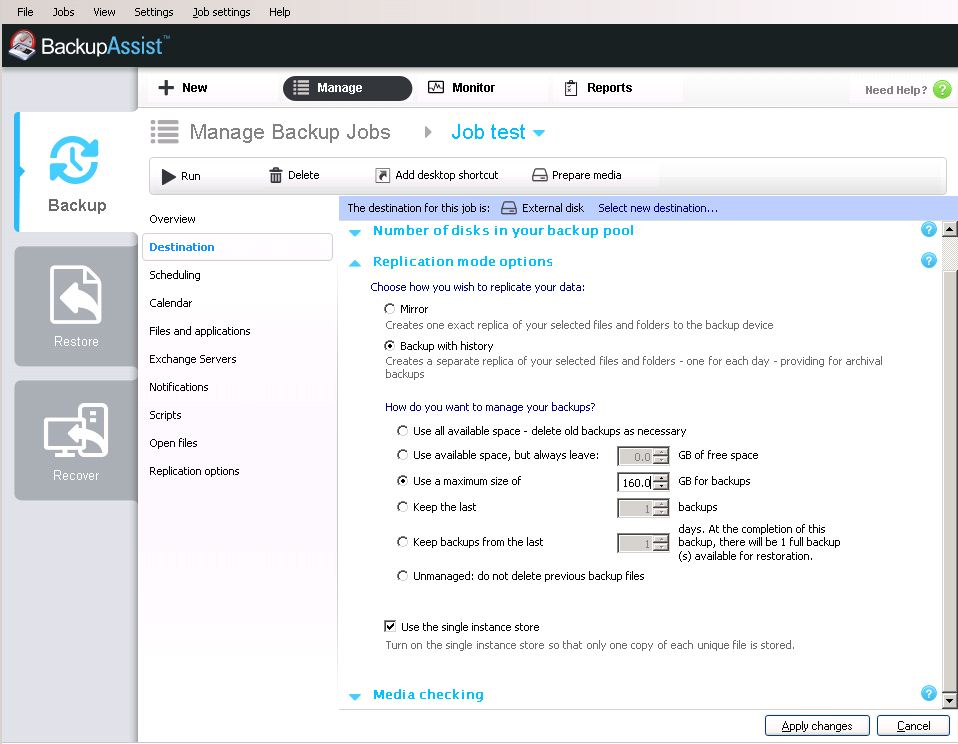
Offsite backup solutions are typically built around a client software program that runs on a schedule, typically once a day, and usually at night while computers aren't in use. The backup program typically collects, compresses, encrypts, and transfers the data to the remote backup service provider's servers, or off-site hardware.
If backups are a headache for your IT manager, backing up data at remote offices can be a massive migraine. Most small to medium sized businesses will traditionally backup a remote office using data tapes, or an external hard drive. This has a number of obvious drawbacks, not the least of which is reliability because of the need for human intervention.
Remote offsite data backups
One of the more intriguing backup alternatives for remote sites and smaller offices is remote offsite data backups.
To address the issues associated with manual backups (tape or hard drive), many companies are looking for alternative solutions that are just as effective, less costly and less time consuming. With fast broadband data speeds becoming more prevalent, more and more companies are either already using or investigating offsite backup solutions. These solutions are becoming more and more popular, particularly for small and medium sized businesses.
Remote offices are generally characterised by relatively small amounts of data that have to be backed up, as well as a lack of IT savvy staff at the remote office. They usually include sales people and back office / admin staff. Automated remote backups solve many of these issues by providing data protection and remote access to your files.
Hard drives on the other hand are much cheaper and BackupAssist can help you with both manual as well as automated backups. Larger backup drives of several terrabytes are relatively cheap these days. The problem with local tape and drive backups, even with a small amount of data, is that you can never eliminate hardware failure as well as people not following proper processes. BackupAssist eliminates these risks by providing error checking of your data and automating your backups.
In most situations, a receptionist has to change tapes daily or check that the backup was complete. They mean well, but they're busy, and what happens when it doesn't work. There have also been cases where someone has left the same tape in the drive all week and, in one case, an employee locked the tapes in a safe and lost the key.
Remote backup services
The biggest issue in a remote backup scenario using tape or hard drive, and the one most likely to affect your data protection, is that most remote offices don't have staff who can maintain (and repair) the backup process. Backups are often handled by an administrative assistant, or clerical person, with little or no training in IT.
Switching to another form of backup won't magically produce someone with the training to run remote office backups. But most of the alternative technologies require much less manual intervention, and in some cases none at all.
Remote backup solutions such as BackupAssist can be an ideal solution for your remote small office. Backups are automatic and happen offsite, i.e. they don't require manual intervention from the receptionist or office manager. If a remote office has a relatively modest amount of data to back up, a set-and-forget backup management solution, such as BackupAssist, will be a good fit. The office will however require a fast broadband connection and an adequate data transfer quota to cover the initial large backup, plus subsequent smaller daily backups. Given the low amount of being backed up, restores should also be relatively quick.
Some tips for remote offsite backup:
- Check your bandwidth — both speed and data transfer quota. You need to know how much data you expect BackupAssist to back up to the off-site or cloud based storage area. Check if your current bandwidth is adequate not just to handle backups in a reasonable time, but also for data restores. Note that on most asyncronous broadband connections, downloading data is several times quicker than uploading
- Ensure reliability. If you're backing up data from a remote site back to your central data center, you need to ensure your data center's Internet connection and file storage servers are reliable. If you're transfer the data to a "cloud" based storage provider, make sure you select a reputable offsite storage service provider. Regular outages can cause you big problems. Also ensure that the service provider is profitable and stable.
- Tally the costs. Online remote backup services vary in their pricing models. Some can cost you thousands a month.
- Make sure your data is safe. Ask what measures the service provider takes to safeguard your data. Are they backing up your backups! At least you know that you can have BackupAssist encrypt your data so that it's safe both as it's being transferred to the storage service provider, and while it resides on their storage servers. BackupAssist uses the same encryption standards that banks use.
- Stop and resume. Ensure your offsite backup service allows you to stop a backup in progress and then restart it from the point it was interrupted. Having to re-run an entire backup is costly and time consuming. BackupAssist allows you to pause your backup and restart it as required.
- Protect desktop and laptop data. BackupAssist is an ideal solution for backing laptops and workstations. People on the move regularly use BackupAssist to deliver protection for the entire hard drive of their PC. If you choose to backup these files, please factor in the additional strage required and extra bandwidth requirements.
- Continuous or scheduled backups. BackupAssist offers ongoing automated backup that can be set to run constantly or as required by the user.
Other considerations for data backup solutions
A major advantage of backing up using a remote offsite backup solution is that in most cases, you can recover to any computer. BackupAssist provides protection whist your are downloading by encrypting your data during the entire process.
Because most online remote backup services rely on the Internet to transfer data, there are some practical size limits on how much data you can effectively back up. The upload process and speed depends almost entirely on the bandwidth of your connection. The other determining factor is the size of the backup window. A typically initial backup over a typical remote site broadband connection can take up to 10 working days to complete. Subsequent backups are then only the changes that occur to files, so they typically take minutes or hours, not days.
As many IT Managers, plus small and medium business owners, start reviewing their IT budgets for the coming financial year, offsite backup solutions for remote offices will become an option they will need to consider this time around.
BackupAssist is available for a free 30 day trial. Download your trial today!


