
 Belgium
 Canada
 Germany
 Italy
Italy France
 Spain
Spain United Kingdom
ZIP & burn to DVD/Blu-ray for data archival protection
Summary: In BackupAssist 5.3, there's a great new possibility for backup - ZIP & Burn to DVD/Blu-ray. Great for permanent data archival backups - such as burning once a week - complete with compression, encryption, and universal restorability!
Most of you would be doing a full system backup as part of your backup strategy - such as drive imaging on Server 2008 or NTBackup on Server 2003. As your primary backup that's great!
But now with our ZIP engine (released in v5.3), you can also protect your most important files in another way - by burning to DVD or Blu-ray for permanent record keeping.
Things you can protect:
- Important data files, like QuickBooks files, legal contracts, employee agreements
- User emails in PST files that were created by the BackupAssist Exchange Mailbox Add-on
- SQL databases that were exported by the BackupAssist SQL Add-on (these usually compress really well!)
You can back up to:
| Media | Native capacity | Compressed capacity, assuming 1.5:1 compression | Approx. cost (bulk) |
|---|---|---|---|
| DVD-R or DVD+R | 4.7GB | 7GB | 30c |
| DVD+R Dual Layer | 8.5GB | 12GB | $1.00 |
| BD-R | 25GB | 37GB | $5.00 |
 With the benefits of:
- Compression - fit more data on!
- Encryption - each file is encrypted using AES-256
- Universal restorability - restore data anywhere using a ZIP program
- Permanent record keeping
It's easy, fast, and free for users of BackupAssist!
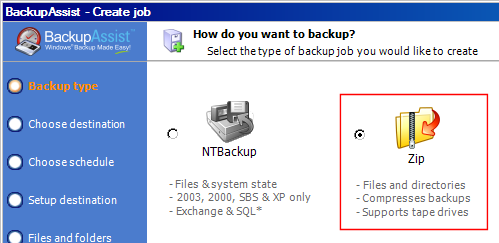
Simply set up a ZIP job in BackupAssist and set your destination as Optical Disc. If you want to do this only once a week, you can go to the scheduling tab in BackupAssist, and only check the day of week to schedule (e.g. Friday).
Why is data archival backup important?
Most data loss is caused by accidental deletion of data, but may go undetected for weeks or months. This means that a comprehensive backup strategy should allow you to see your data at various points in time.
If you burn a disc once a week, it means you can go back in time and retrieve your data from any week, for as long as you do the backups! This is especially important protection against malicious employees so may delete data over periods of time. (See the story of Marie Cooley for a truly scary employee who deleted millions of dollars worth of documents!)
Write-once or rewritable media
For data archival backup purposes, we always recommend using write-once discs. This means that once the data is burnt, it cannot be modified, and so provides a tamper-proof record of your data.
Additionally, the life cycle of rewritable discs is rarely as good as the manufacturer's claims due to the inevitable wear-and-tear of constant use - scratches and fingerprints. When protecting your data, it's best not to take chances!


