BA205: Backup directory does not exist
| Error code | Product | Applies to |
|---|---|---|
| BA205 | BackupAssist ER | BackupAssist ER v1 and later |
Description
This error is usually associated when performing network backups of SQL servers.
The cause for the error is that the destination the SQL backup is referencing the local machine by it's domain name (which isn't being resolved correctly). E.g. The server name is Server1 and the backup destination is C:\backup_folder. However the error will state that \\Server1\backup_folder doesn't exist.
Resolution
To resolve this error, you'll need to change the destination for the SQL backup to a folder on the machine SQL is installed on -and then pull it across the network.
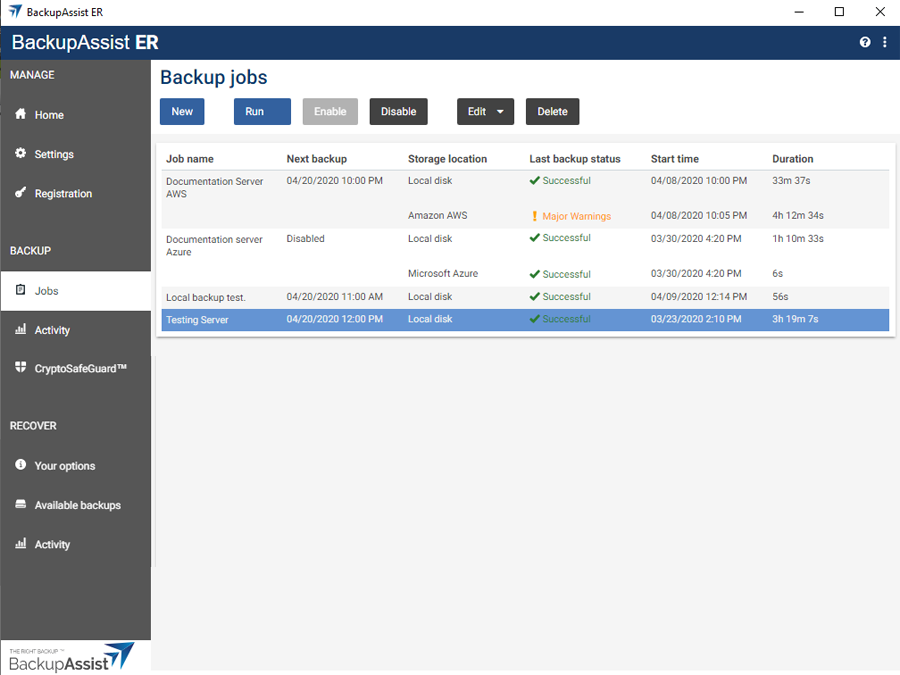
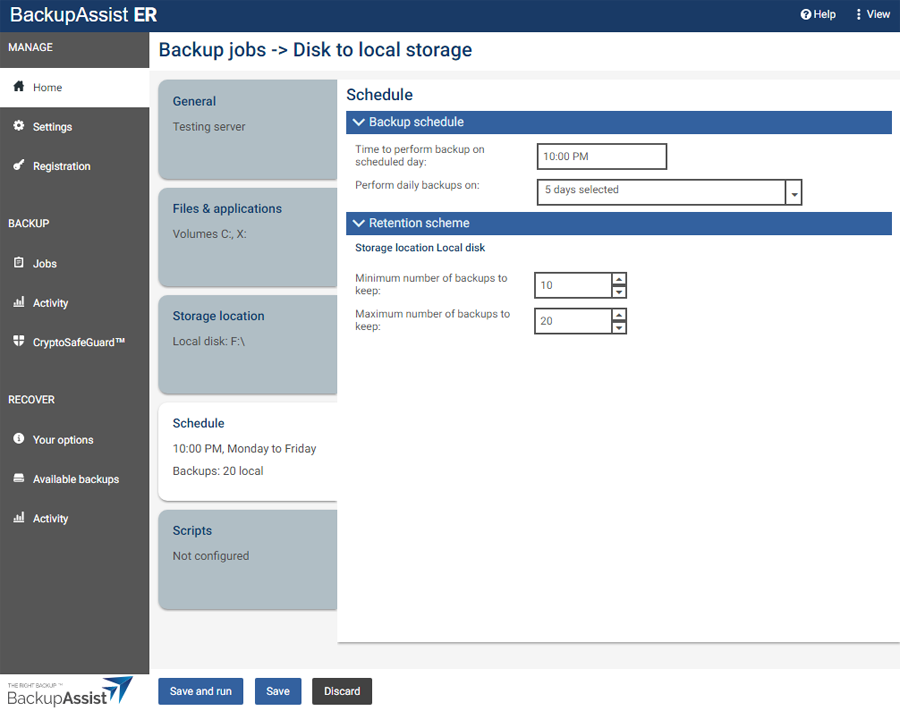
To update or review a backup job:
-
Open BackupAssist ER.
-
Select the Jobs tab.
-
Select the backup job that you want to modify from the list of jobs.
-
Click the Edit button on the top menu.
-
Select the tab containing the information or selection you want to change.
-
Make the required update.
-
Click the Save button.
| Last updated | Created | Further assistance |
|---|---|---|
| 13th June 2017 | 21st Feb 2008 | BackupAssist ER Support page |