BA6109: A disk management error has caused the backup to fail
| Error code | Product | Applies to |
|---|---|---|
| BA6109 | BackupAssist ER | BackupAssist ER v1 and later |
Description
This error occurs when the backup job encounters IOCTL disk related errors.
Resolution
This issue will require the assistance of BackupAssist technical support.
To contact BackupAssist technical support and provide diagnostic information, please follow the steps below.
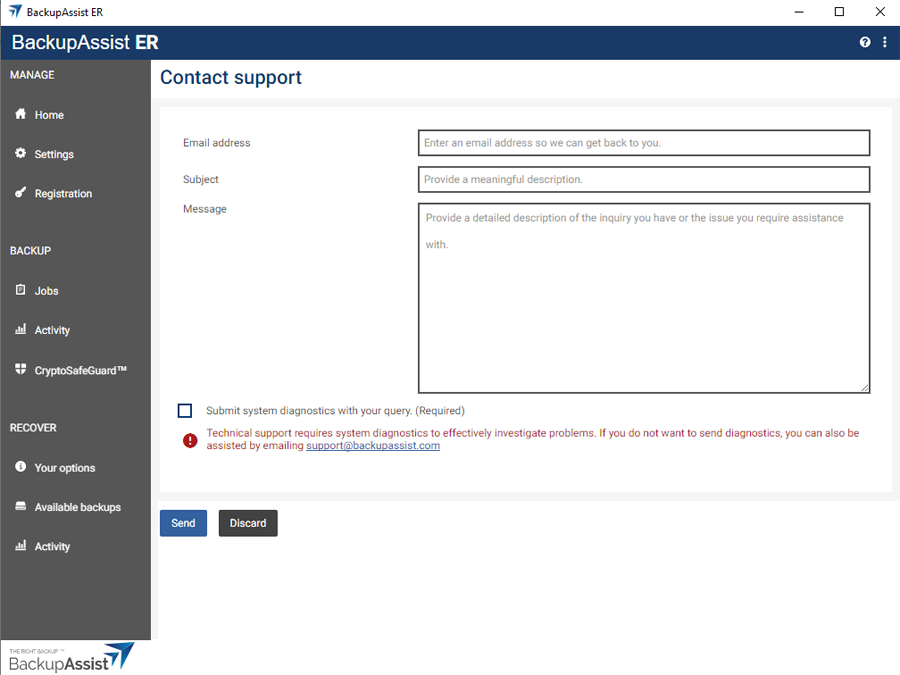
- Click the help icon on the top right.
- Select the Contact support.
- Enter your email address onto the field provided.
- Enter a meaningful description into the field provided.
- Tick the box next to Submit system diagnostics with your query.
- Select Submit.
BackupAssist Technical Support will review your problem and diagnostics file, and contact you.
| Last updated | Created | Further assistance |
|---|---|---|
| 27th July 2018 | 27th July 2018 | BackupAssist Support page |