BA703: Specified file selection does not exist or is inaccessible.
| Error code | Product | Applies to |
|---|---|---|
| BA703 | BackupAssist ER | BackupAssist ER v1 and later |
Description
This warning indicates that a selected file or folder was unavailable at the time of backup.
This issue often occurs while trying to backup data from a network location and it's inaccessible to BackupAssist ER during the backup window.
Resolution
There are 2 possible resolutions
Resolution 1 - If the file or folder has been deleted
BackupAssist ER will give you this warning if it attempts to back up a file or folder that has been deleted. Remove any files or folders that have been deleted to prevent BackupAssist ER from attempting to back them up.
To update or review a backup job:
-
Open BackupAssist ER.
-
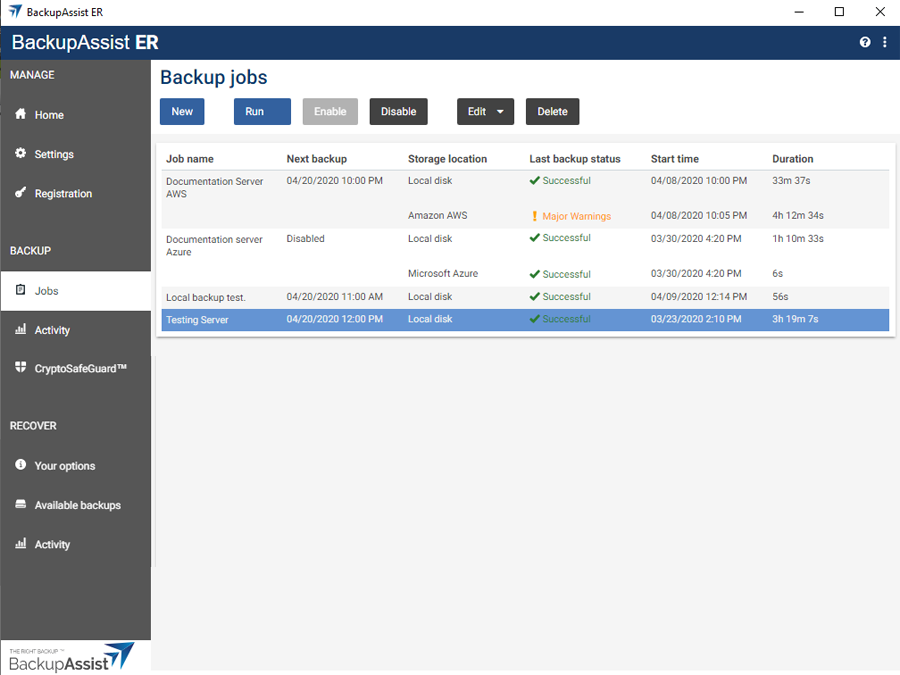
Select the Jobs tab.
-
Select the backup job that you want to modify from the list of jobs.
-
Click the Edit button on the top menu.
-
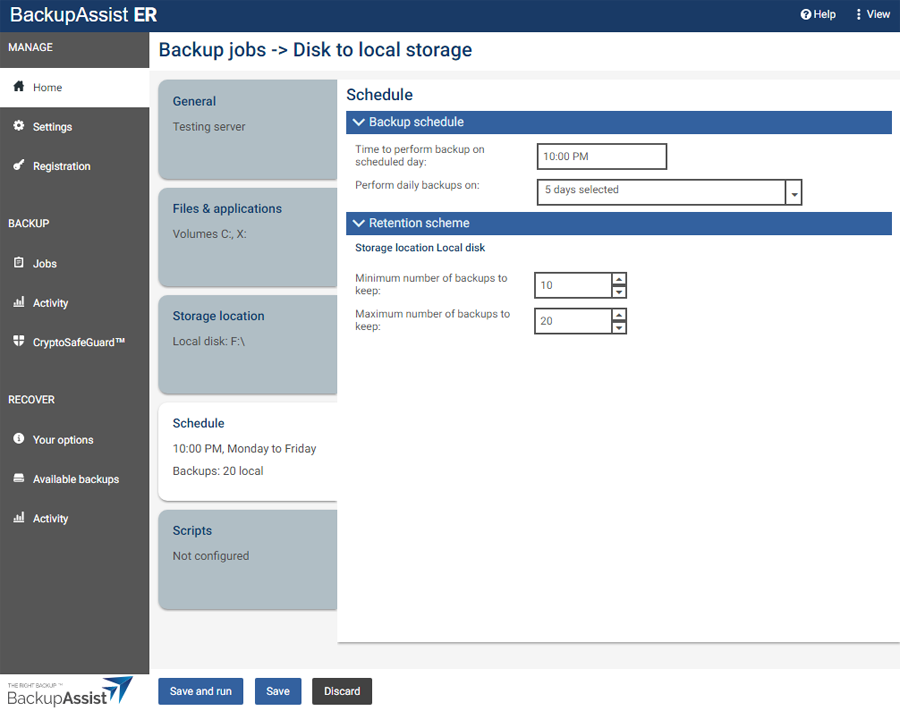
Select the tab containing the information or selection you want to change.
-
Make the required update.
-
Click the Save button.
Resolution 2 - For a conflicting VSS provider
There have been instances where a drive has not been available when another backup product is installed.
More information about the possible conflicts of having two backup solutions running on one server can be found in our article on Backup software that can cause conflicts.
| Last updated | Created | Further assistance |
|---|---|---|
| 23rd Oct 2017 | 16th Mar 2007 | BackupAssist ER Support page |