BA704: Specified UNC path selection doesn't exist
| Error code | Product | Applies to |
|---|---|---|
| BA704 | BackupAssist ER | BackupAssist ER v1 and later |
Description
This error usually appears when a UNC path can not be found on the network.
Resolution
Check to make sure all selections that are set to be backed up are accessible by BackupAssist ER.
To update or review a backup job:
-
Open BackupAssist ER.
-
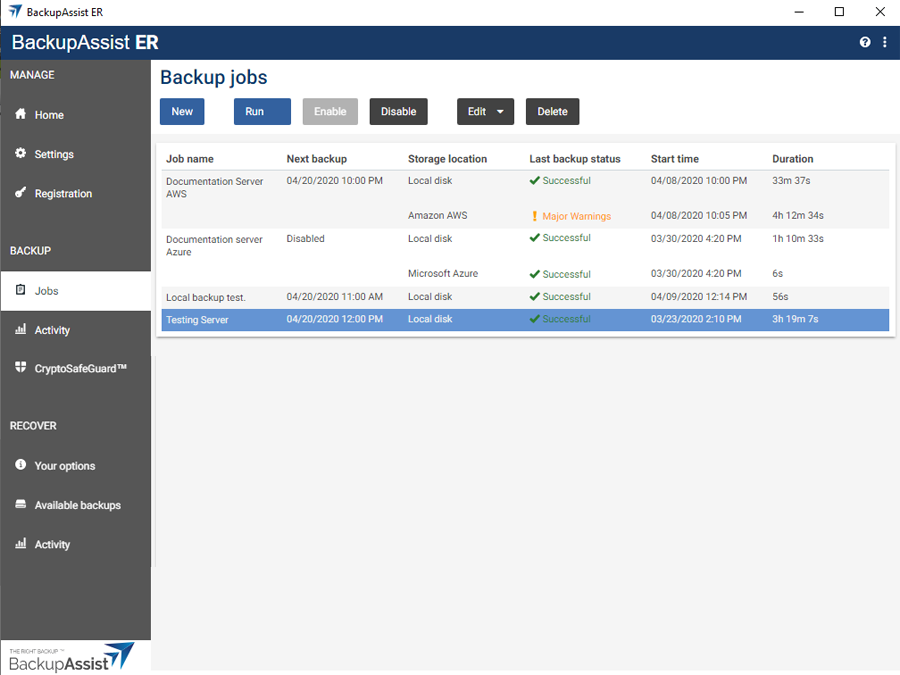
Select the Jobs tab.
-
Select the backup job that you want to modify from the list of jobs.
-
Click the Edit button on the top menu.
-
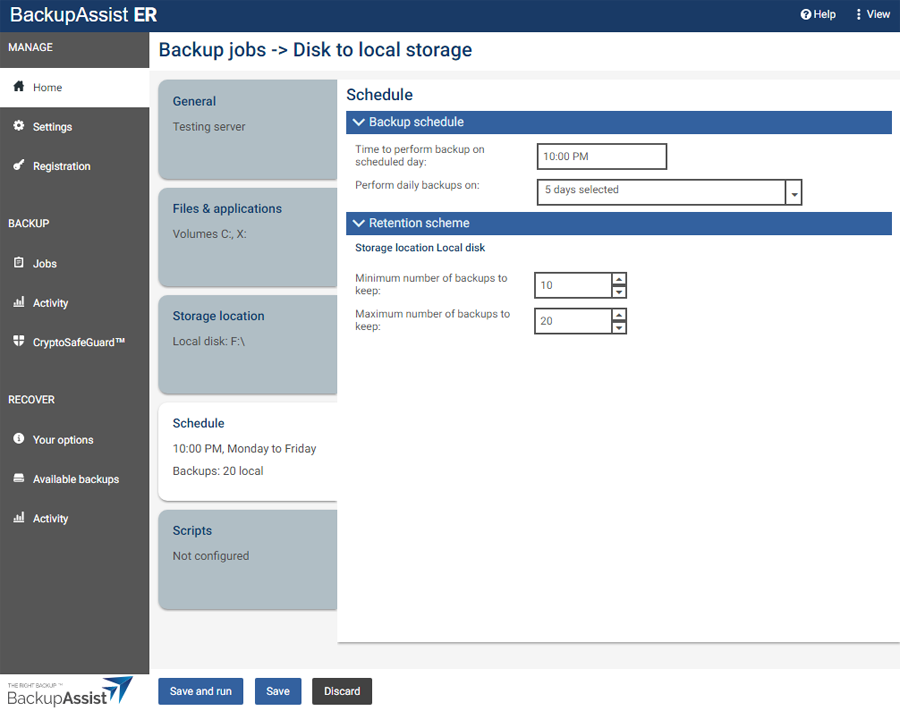
Select the tab containing the information or selection you want to change.
-
Make the required update.
-
Click the Save button.
| Last updated | Created | Further assistance |
|---|---|---|
| 19th Mar 2015 | 16th Mar 2007 | BackupAssist ER Support page |