
 Belgium
 Canada
 Germany
 Italy
Italy France
 Spain
Spain United Kingdom
Archival Backup
The core features IT Pros use day to day.
Included in the BackupAssist base license.


File Archiving: Easy backup compression
Create compressed backups of files, folders and applications that are ideal for your archival backup needs. File Archiving backup compression supports an extensive range of destinations (including tape devices) and offers secure AES encryption.
High performance backup compression
Backup compression with our File Archiving feature includes multi-threaded architecture that’s been tuned for optimal performance. This makes for fast, reliable archival backups that are an ideal ZIP solution for even the most demanding business backups. In fact, in terms of speed our backup compression engine outperforms WinZip and WinRar by as much as a factor of 12!
Create the secure, compressed backups your business needs with BackupAssist File Archiving.
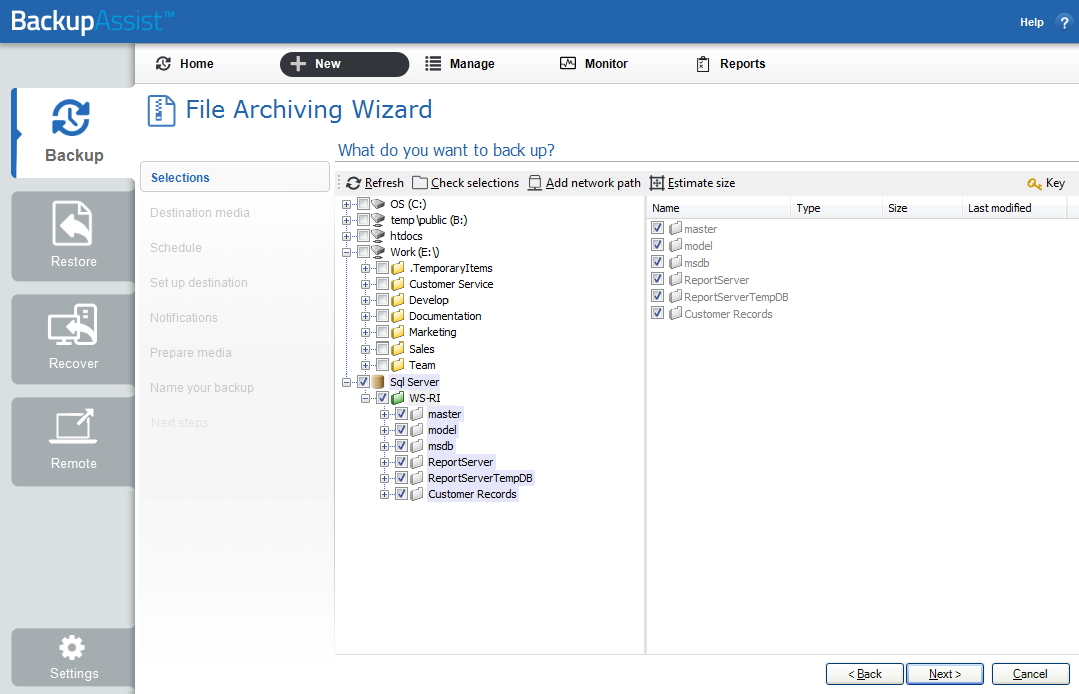
Comprehensive backup options
Creating secure, compressed archival backups is simple with BackupAssist’s File Archiving engine. You’ll be guided through the backup job creation process with data selection, destination configuration and schedule customization steps and easy-to-understand instructions.
Backup compression using File Archiving also offers the benefit of backup schedules that can be tailored to the specific backup destination. Plus, if your destination is a removable media like a tape drive, BackupAssist will label it to help manage your backup rotation.
In BackupAssist v9, you can also utilize our On-Demand Analytics feature to make sure your chosen hardware destination is compatible with the backup type you're about to run. This feature can also run destination specific processes such as verifying that the backup job has the required access to a NAS device.
That way, you’ll be warned if the incorrect media is inserted.
File Archiving also allows you to customize email reports for backups and restores using a managed recipients list. Backup compression and archiving is easy with BackupAssist.
Easy and effective restores
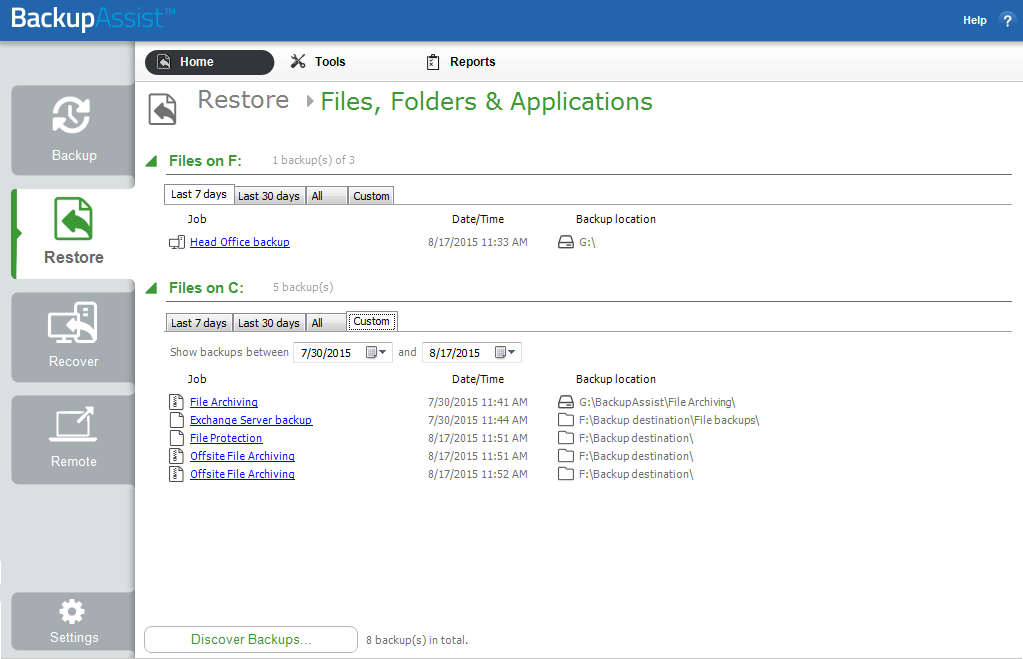
What good are securely archived backups without an easy restore function? With BackupAssist, you can search multiple backups at once or browse single backups, all in the same intuitive interface. File Archiving backup compression uses the Restore Console to:
- Restore compressed backup files and folders
- Restore VSS applications including Exchange and SQL databases
- Restore full Hyper-V guests and data from within Hyper-V hosts
- Restore individual mail items using the Exchange Granular Restore Add-on
- Restore data from inside of Hyper-V guests using the Hyper-V Granular Restore Add-on

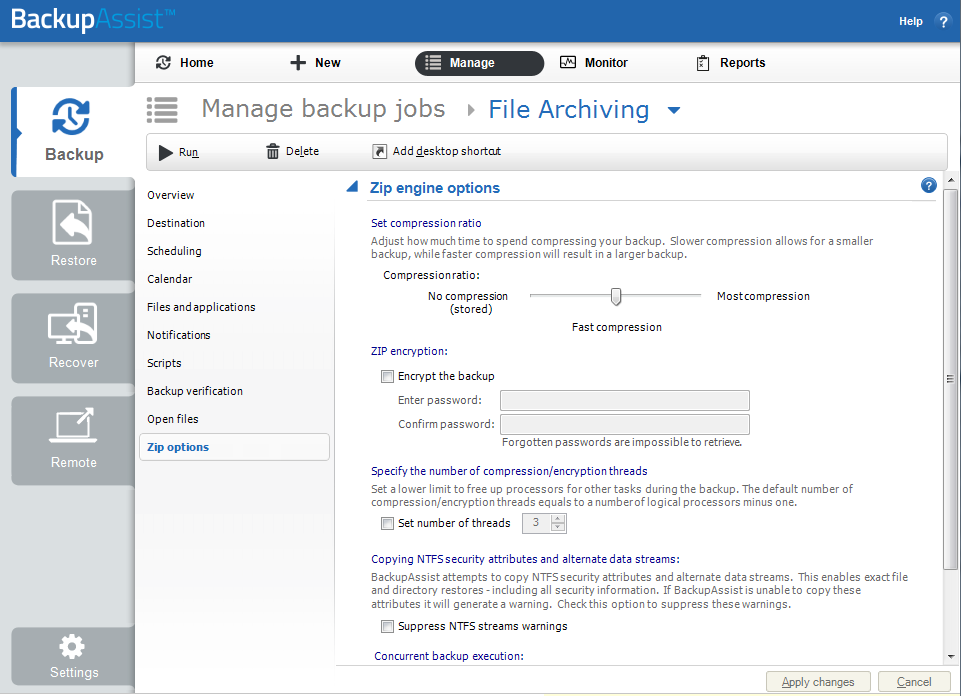
Secure archive encryption
Protect your organization’s data so that only authorized personnel can access it by enabling 256-bit AES encryption. In addition to compressing your archived data, BackupAssist also uses enhanced encryption security to protect your backups at the destination. This is particularly important for removable backup media, and data stored offsite.
File Archiving is an ideal archiving tool for backup compression and secure encryption.
Specifications
- Licensing
Archiving to tape drive
Requires Zip-to-Tape Add-on
Archiving to other hardware
Included in BackupAssist license - Supported Microsoft Operation Systems*
Windows Server 2016
Windows Server 2012/R2;
Windows Server 2008/R2;
Windows SBS (2011, 2008);
Windows 8 (Professional & Ultimate) and 8.1(Professional & Enterprise);
Windows 7 (Professional or Ultimate);
Windows 10
*Windows Server 2012 & 2008R2 support is for the full family of operating systems including Server Core and Hyper-V server.
- Method
File backup based on the ZIP64 standard (fully compliant). Data can be restored using BackupAssist or common ZIP programs.
- Supported VSS Applications*
Exchange Server (2016, 2013, 2010, 2007);
SQL Server (2014, 2012, 2008, 2005);
Hyper-V on Windows Server 2012/R2 and 2008/R2, including Server Core and Hyper-V Server;
Hyper-V on Windows Server 2008R1;
SharePoint (2010)
* All Microsoft VSS aware applications are supported.
- Supported Destinations
External Disk
RDX Drive
Local Hard Drive
Optical Disk
Flash Drive
Network Location (NAS)
iSCSI
- Resources
- File Archiving Userguide