Changing an MSP's details
An MSP's details can be easily changed if required.
For example, you may want to change an MSP's name if their trading name changes, or if you want to implement a new naming convention in MBC.
To rename an MSP:
-
Log into MBC.
-
Click Partner accounts.
-
Locate the MSP Partner on the Partner accounts page.
Typing a word into the Search field will filter the results.
-
Click the Edit button next to the MSP that you want to update.
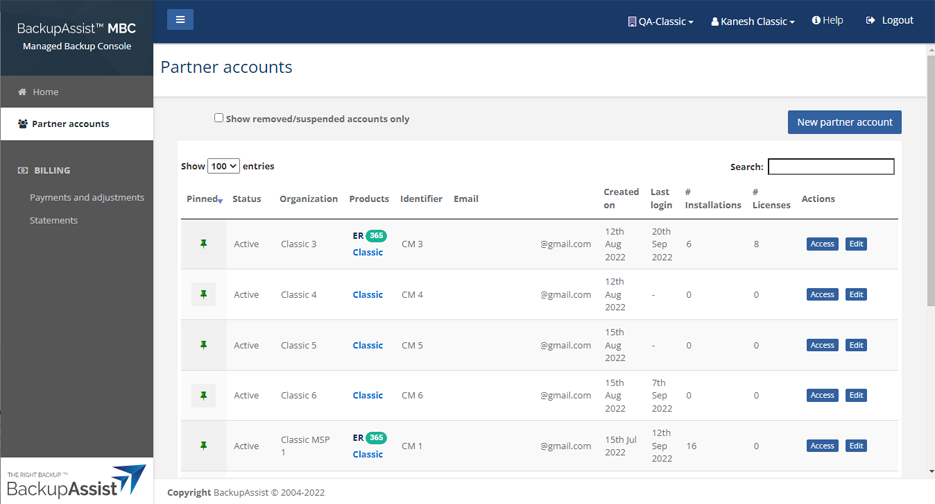
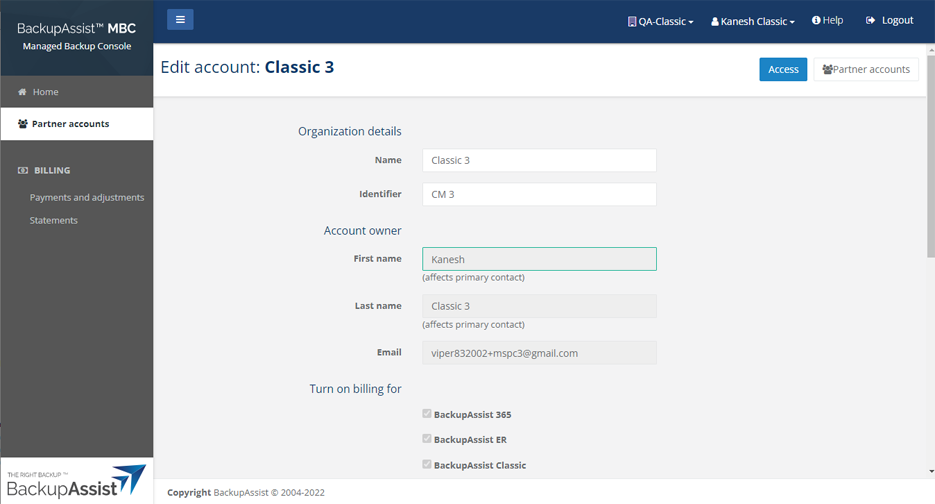
This will open the Edit account page.
-
Make the required changes.
-
Click Save.
You will be returned to the Partner accounts page.