MSP Statements
At the start of each month, your MSPs' monthly subscription charges are calculated for all new and continuing BackupAssist Classic, BackupAssist ER and 365 licenses. A Distributor statement is then created for your MSPs.
This statement can be viewed in the Managed Backup Console.
To view your monthly statement:
-
Log into MBC.
-
Click Statements.
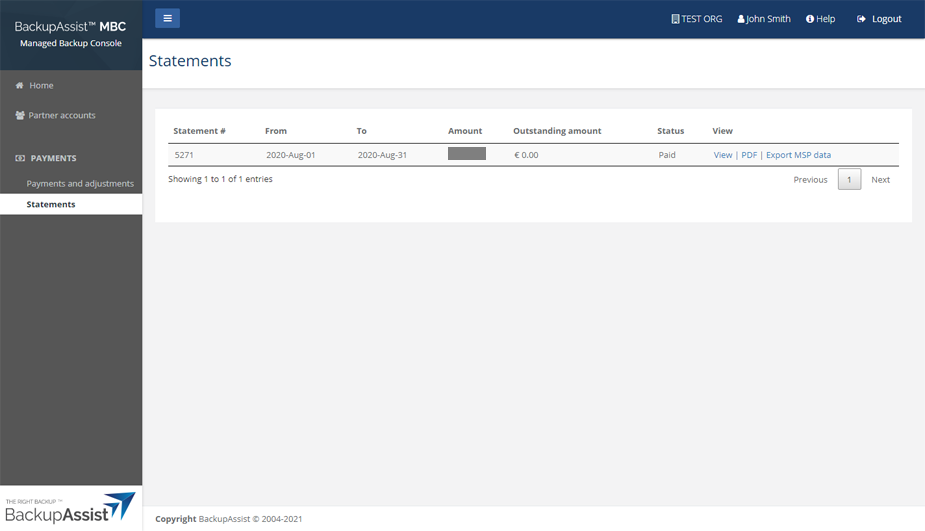
The statements page shows the total amount due for all MSPs and the Outstanding amount due.
The following viewing options are available:
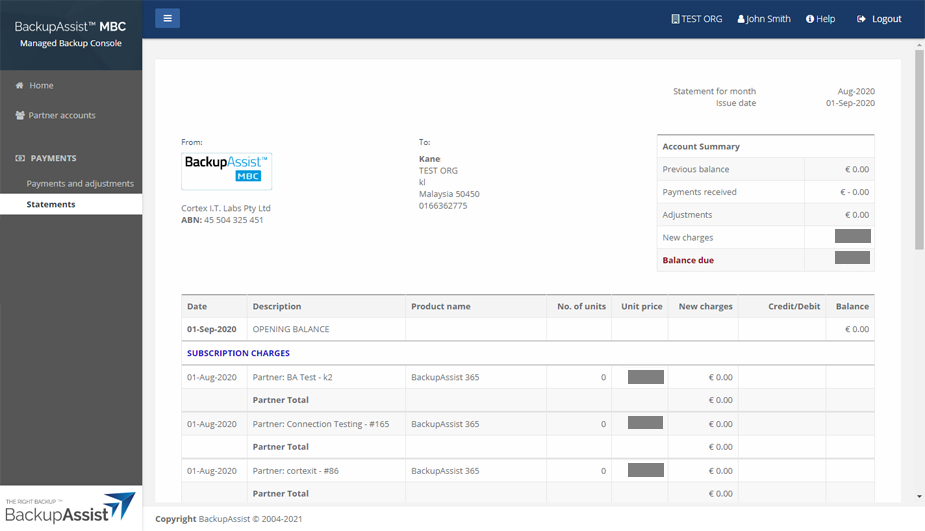
- Select View to open the statement as shown in the screenshot below.
- Select PDF to open the statement as a PDF. The PDF can be printed or downloaded.
- Select Export MSP data to export a statement to a CSV file.
Statement
The statement lists each MSP, their total number of BackupAssist Classic, BackupAssist ER and 365 licenses and the total Balance due for the month.