Payments and adjustments
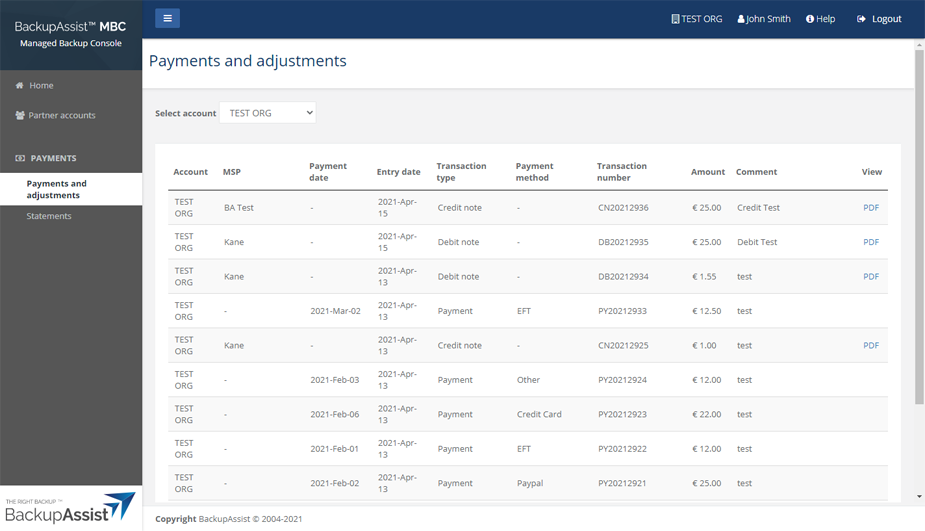
This page makes it easy for users with the billing role to access financial records relating to their MBC account activities. The page lists each credit note and debit note, and payments made by distributors. When you enter a payment, it will clear the outstanding automatically.
Select PDF to open the credit / debit note as a PDF. The PDF can be printed or downloaded.
To view payments and adjustments:
-
Log into MBC.
-
Click Payments and adjustments.