
 Belgium
 Canada
 Germany
 Italy
Italy France
 Spain
Spain United Kingdom
Try BackupAssist Today

Read the full review here
Customer Testimonials
 Daniel Hoviss, Dosolutions Inc.
 John Dance, Rebooted
Need to backup Exchange 2007 running on Windows Server 2008?
Frustrated why you can't do it natively?
Forced to consider expensive and complex solutions?
Thankfully, there's now a simple, cost effective solution - BackupAssist
With the BackupAssist's new Exchange Server 2007 aware features, you can backup Exchange 2007 correctly as part of your overall server backup (using the block-level imaging backup built into Windows Server 2008), or standalone.
Our Exchange-aware plug-in does the necessary integrity checks to ensure the health of your database.
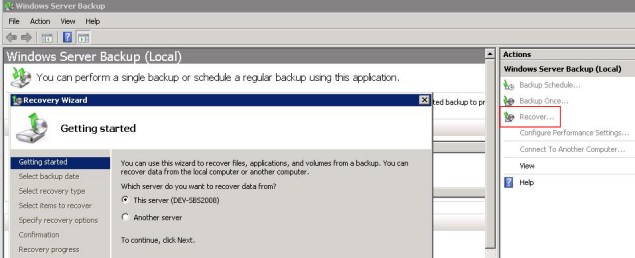
Restores can be done as part of a complete server restore (from bare metal), or an Exchange Server restore (either entire, or individual stores) or to a Recovery Storage Group.
Best of all - BackupAssist is a small fraction of the cost of the major products.
| BackupAssist solution | Major competitor | |
|---|---|---|
| Base software license | USD $249.00 | USD $1,162.00 |
| Exchange backup agent | Free | USD $1,162.00 |
| Complete suite | USD $249.00 | USD $2,324.00 |
Exchange 2007 Backup Made Simple
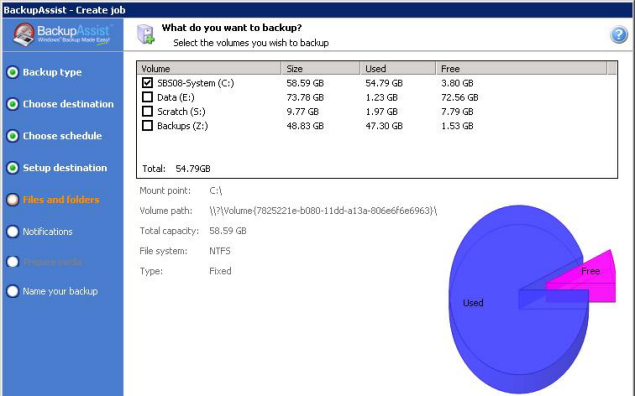
1. Select the volume where Exchange 2007 is installed
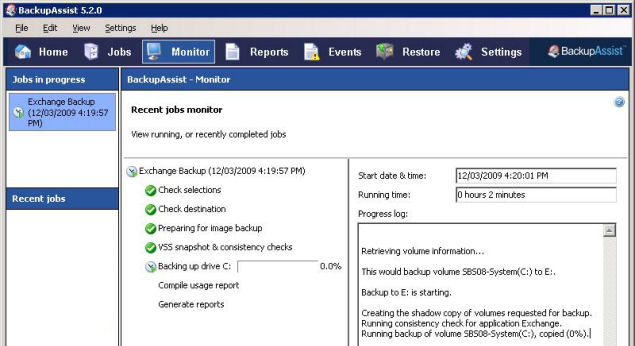
2. Run a backup or wait for the next scheduled backup to run
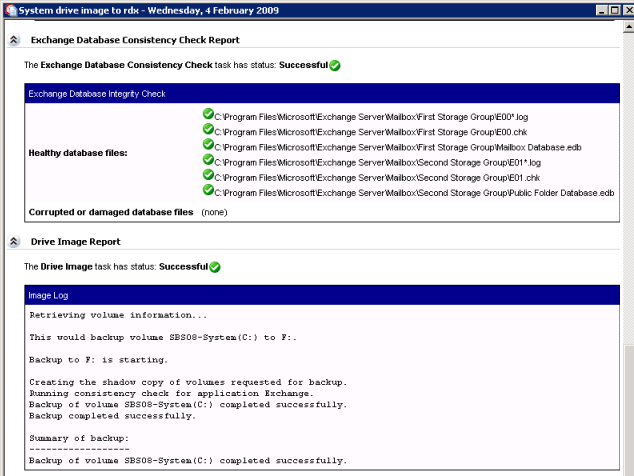
3. Check the backup report to verify that Exchange was backed up successfully
4. In the event of data loss use Windows Server Backup to restore your Exchange Server data
How the BackupAssist solution works
Unfortunately the backup application that comes with Windows Server 2008, Windows Server Backup (wbadmin), does not have built-in support for live streaming backups of Exchange 2007, like Windows Backup (NTBackup) did in previous versions of Windows. To backup Exchange 2007 on Server 2008 you need an Exchange-aware backup application that supports the Volume Shadow Copy Service (VSS) writer for Exchange 2007. This is exactly what BackupAssist provides!
The Exchange 2007 Plug-in in BackupAssist uses Windows Server Backup (wbadmin) to backup your Exchange 2007 databases. When you set up and run a Windows Imaging job BackupAssist will automatically detect that Exchange 2007 is installed, and, once detected, will instruct Windows Server Backup to use the VSS writer for Exchange to commit all databases before the backup runs. BackupAssist will then verify the consistency of your Exchange databases before proceeding with the backup. A record of the Exchange consistency check is also provided in the BackupAssist backup report.
All you need to do is make sure that you've selected the appropriate volume to backup where Exchange has been installed. If, for example, Exchange Server was installed on your E: drive, just select E: for backup in your volume selections and BackupAssist will take care of the rest!
Download BackupAssist now for simple Exchange 2007 backups
You can start backing up today simply by downloading the fully featured, 30 day trial. The download is under 10MB and it usually takes a few minutes to install and set up.


