BA1113: The tape is not formatted - try a different tape
| Error code | Product | Applies to |
|---|---|---|
| BA1113 | BackupAssist | BackupAssist v4 or later. |
Description
This error usually indicates that the tape is not in a format expected.
Resolution
Try preparing the tape within BackupAssist.
To prepare media follow the steps below:
- Open BackupAssist.
- Select Manage Backup Jobs.
- Select the backup job.
- Select Edit from the top menu.
- Select Prepare Media from the top menu.
- Attach the drive you want to be prepared.
- Click Prepare on the relevant media name.
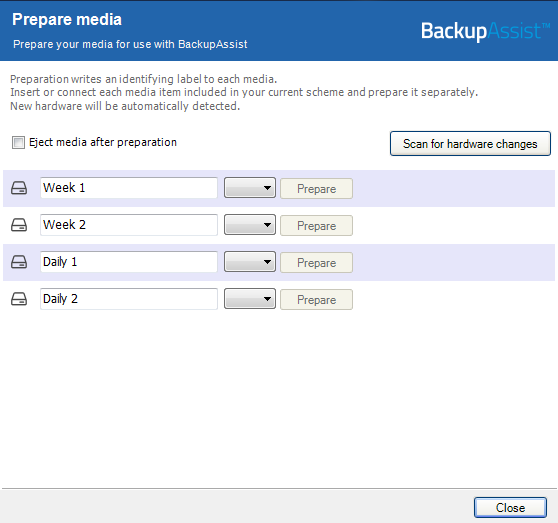
The media will then be assigned to that media label. For example a disk prepared for the 'Monday' label will be expected by BackupAssist each Monday.
| Last updated | Created | Further assistance |
|---|---|---|
| 8th June 2017 | 16th Mar 2007 | BackupAssist Support page |