BA2005: Product key has already been activated on another machine
| Error code | Product | Applies to |
|---|---|---|
| BA2005 | BackupAssist | BackupAssist v6 and later. |
Description
The license key you are trying to use has been activated on another machine.
Resolution
As per the BackupAssist licensing terms and conditions, a license key can only be active on one machine at a time.
If you do not want the license to be on the other machine, deactivate that license and activate it on the intended machine.
To deactivate and activate a license:
- Select Help from the top menu
- Select Licensing
- Enter and activate (or reactivate) your product key using the fields provided.
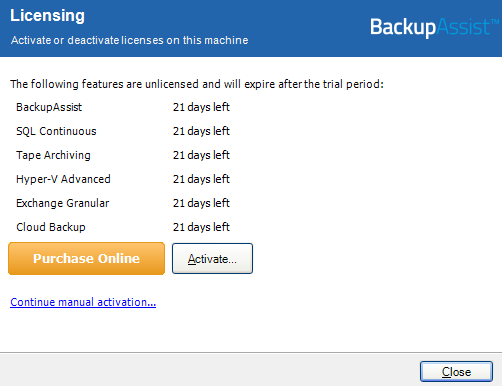
If you want to use BackupAssist on multiple machines, you will need to activate a separate license key on each machine.
To purchase a BackupAssist license, please visit our website
If you continue having activation issues with your license key(s), please provide the license key(s) and the error code BA2005 in an e-mail to support@backupassist.com for further help.
To learn more about activating and licenses, see our Customer license activation & deactivation guide.
| Last updated | Created | Further assistance |
|---|---|---|
| 03rd Jul 2015 | 10th Oct 2013 | BackupAssist Support page |