BA2525: Unable to locate VHD file
| Error code | Product | Applies to |
|---|---|---|
| BA2525 | BackupAssist | BackupAssist v5.0 and later |
Description
This error occurs when a .vhd file representing a backed up volume can not be found by BackupAssist.
Resolution
Run the following wbadmin command in a command prompt window (Start > Run > cmd) and see if there is anything returned: wbadmin getversions
If there is anything returned, check the 'Backup Target' listed to make sure the correct backup destination is connected.
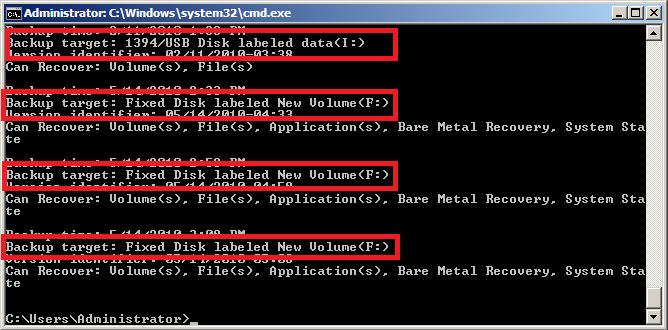
Check the physical drive itself (through Windows Explorer) to see if any .vhd files are present.
| Last updated | Created | Further assistance |
|---|---|---|
| 17th Oct 2014 | 19th May 2010 | BackupAssist Support page |