BA2533: Windows does not support recovery from a dynamic disk.
| Error code | Product | Applies to |
|---|---|---|
| BA2533 | BackupAssist | BackupAssist v5 and later |
Description
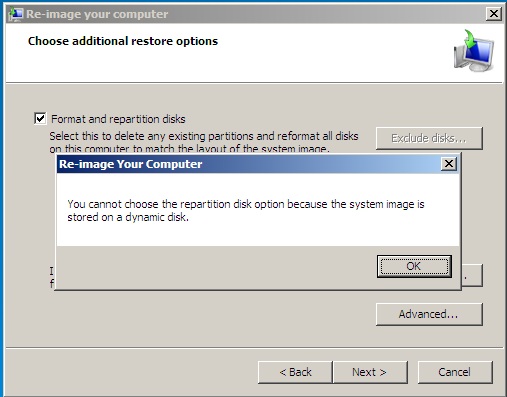
This error is generated when backing up to a physical dynamic disk using the Windows Imaging engine within BackupAssist. Backing up to a dynamic disk with the Windows Imaging engine (and Windows Server Backup directly) will not allow you to perform a recovery.
Note
The backup destination volume that you have selected is on a dynamic disk. If you need to perform a recovery using this backup, you will have limited functionality while performing a recovery.
If attempting to perform a recovery with this backup, you will find the following screen will be displayed:
Resolution
You may copy the backup to a non-dynamic disk in order to perform a recovery or use a non-dynamic disk as your backup destination
Resolution 1
It's the recommended best practice that you perform a backup to a disk which isn't dynamic as this is recommended by Microsoft.
Resolution 2
Manually copy the entire backup folder from the dynamic disk to a disk which isn't dynamic and is available to the machine you're attempting the restore on. This then will allow for a recovery to be performed - although as mentioned earlier that this type of situation isn't regarded as best practice.
| Last updated | Created | Further assistance |
|---|---|---|
| 15th Oct 2014 | 31st Aug 2011 | BackupAssist Support page |