BA3: The Backup was interrupted by computer reboot
| Error code | Product | Applies to |
|---|---|---|
| BA3 | BackupAssist | BackupAssist v7 and later |
Description
This error message can occur when a backup job is interrupted by an operating system initiated shutdown or restart
Resolution
If a user clicked on the cancel button on the Manage screen, while a backup job was running, you can rerun the backup job.
To manually rerun the backup job:
- Open BackupAssist
- Click on Manage Backup Jobs
- Select the backup job from the list provided.
- Click Run on the top menu.
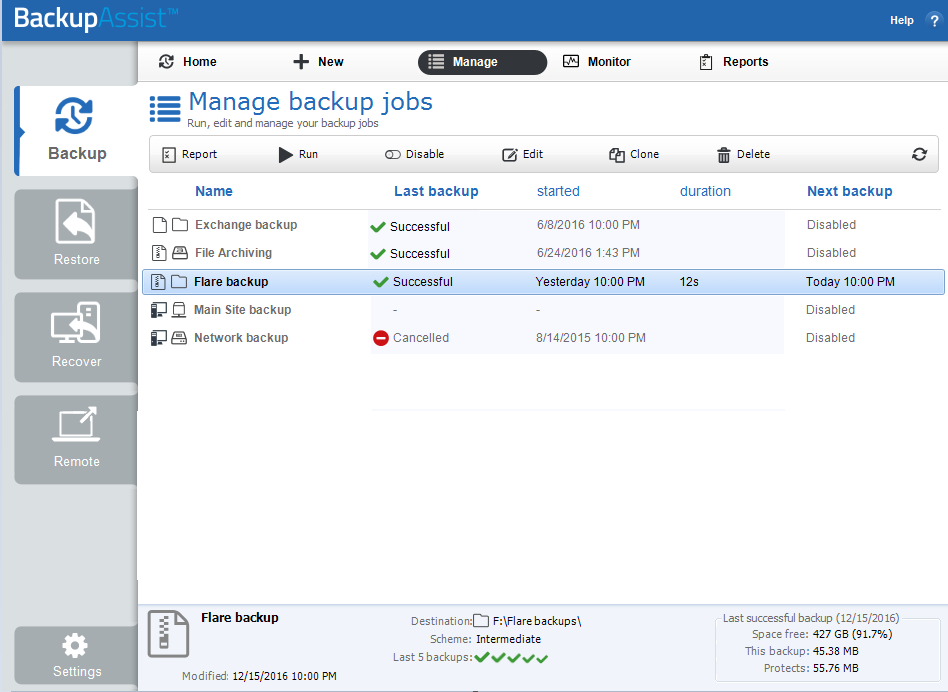
Alternatively, it will run automatically as scheduled.
| Last updated | Created | Further assistance |
|---|---|---|
| 8th June 2017 | 13th Nov 2012 | BackupAssist Support page |