BA3023: Partial transfer due to error
Superseded by newer technology
Rsync has been superseded by newer cloud backup destinations, and we strongly recommend using one of them instead (see Cloud Backup). Customers with older environments can continue to use rsync with the version of BackupAssist they have, but without technical support, which ended in November 2023.
| Error code | Product | Applies to |
|---|---|---|
| BA3023 | BackupAssist | BackupAssist |
Description
This is a generic rsync error which is shown in the backup report. The main cause of this error is that only part of the backup was transferred due to an unexpected error occurring with the rsync process.
More information is found in the rsync log which has a link contained within the report.
Resolution
In many situations, rsync backups can be stopped with errors directly related to backing up the NTFS data associated with the files.
This is usually due to rsync destinations being built on a Unix / Linux platform and NTFS is exclusively a Windows format.
Further information can be found in the KB article BA712 Destination does not support copying of NTFS attributes
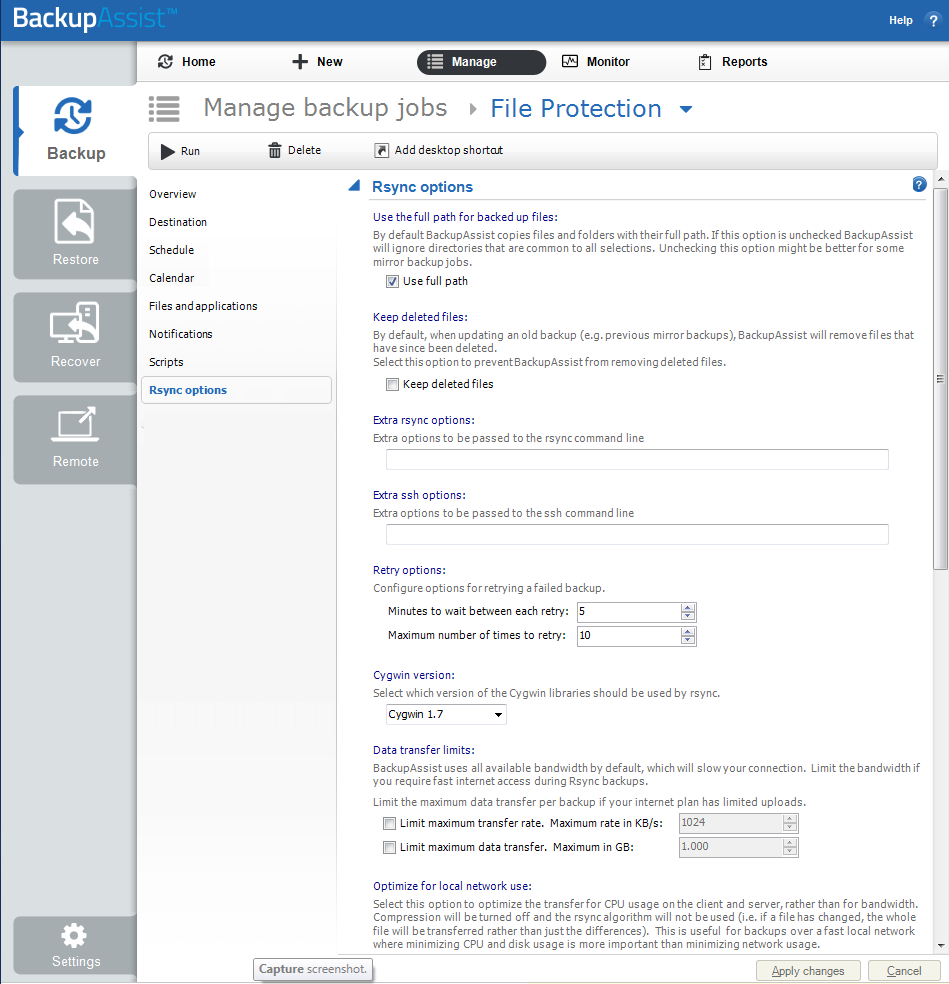
To turn off backing up NTFS streams within your rsync backup, follow the steps below:
- Open BackupAssist.
- Select Manage Backup Jobs
- Select the backup job.
- Select Edit from the top menu
- Select rsync options from the options on the left
- Scroll down to the NTFS Meta data section
- Untick Back up NTFS metadata
| Last updated | Created | Further assistance |
|---|---|---|
| 2nd Mar 2016 | 15th Dec 2008 | BackupAssist Support page |