BA4017: One or more files skipped due to compression or encryption error
| Error code | Product | Applies to |
|---|---|---|
| BA4017 | BackupAssist | BackupAssist v 6.4.4 and later |
Description
This error is typically generated due to an error being encountered when compressing or encrypting a file scheduled for backup to the zip file. A list of the skipped files will be contained within the backup report.
Resolution
There are 2 possible resolutions to this problem.
Resolution 1 - Remove files that have already been encrypted
BackupAssist does not support backing up files which are already encrypted. If you are trying to back up files that are already encrypted, then you will need to remove them from the backup selections.
To do this, follow these steps:
- Open BackupAssist.
- Select Manage Backup Jobs
- Select the backup job.
- Select Edit from the top menu
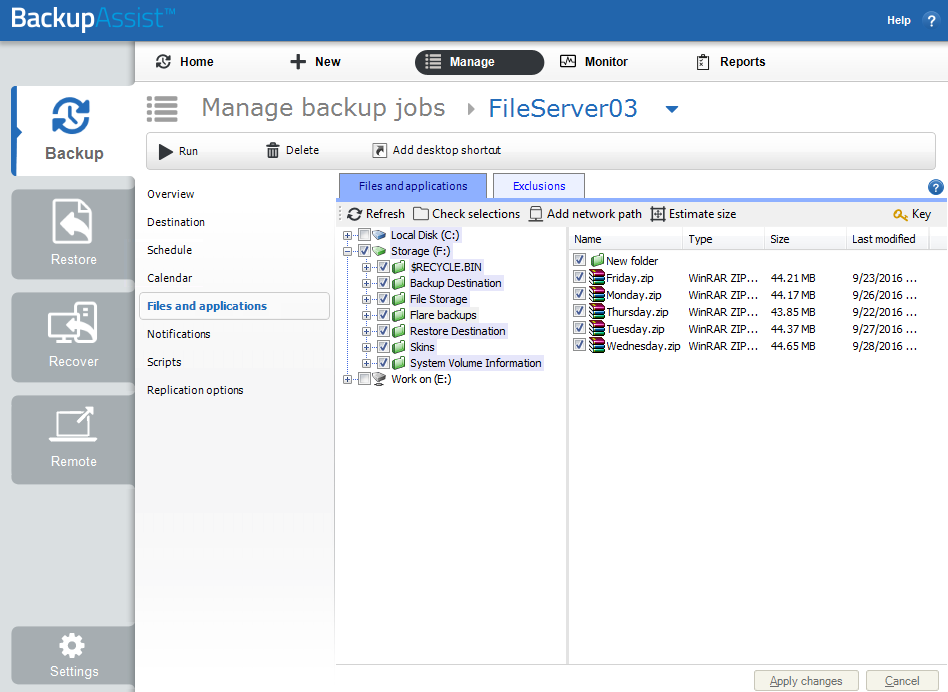
- Select Files and Applications from the options on the left
- Deselect the encrypted files
- Select Apply changes
Resolution 2 - Remove the compression
If the files are already compressed, then attempting to compress them further can cause issues with backup speeds and also generate this error. If this is the reason for this error, you can choose not to compress the backup zip file by following the steps below:
- Open BackupAssist.
- Select Manage Backup Jobs
- Select the backup job.
- Select Edit from the top menu
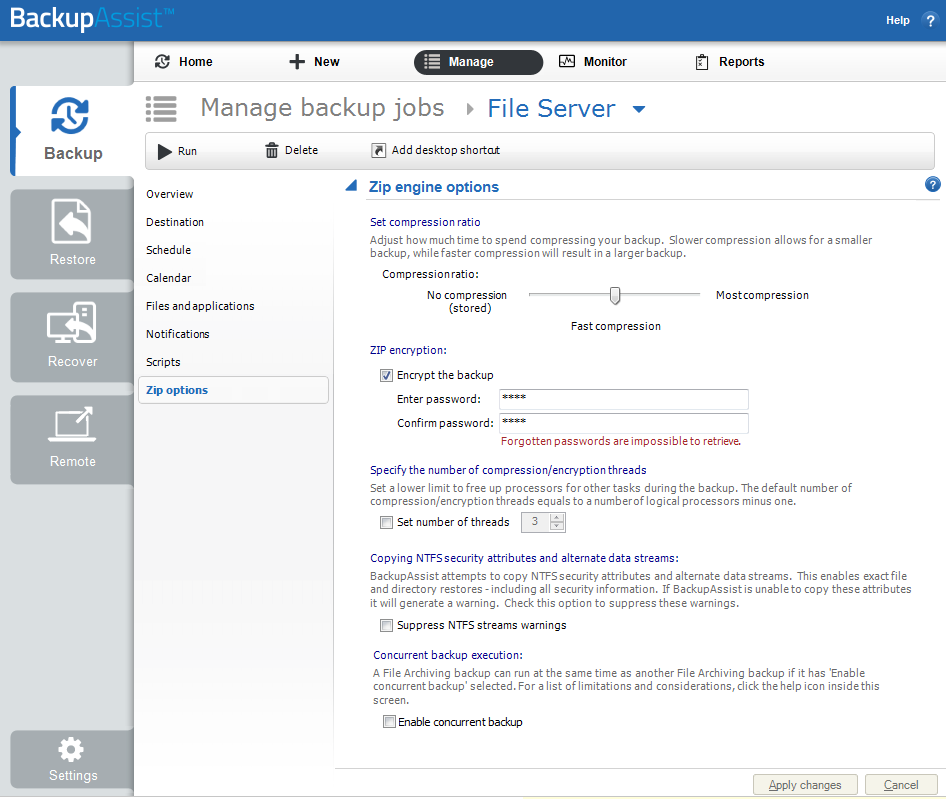
- Select Zip Options from the options on the left
- Under Set compression ratio, move the slider to the left for No compression.
- Select Apply changes
To learn more see Edit Job : Zip options
| Last updated | Created | Further assistance |
|---|---|---|
| 20 May 2016 | 29th Nov 2009 | BackupAssist Support page |