BA4203: TrueCrypt not installed
No technical support
TrueCrypt encryption was discontinued after BackupAssist v8 and no longer receives technical support. We recommend BitLocker encryption instead.
| Error code | Product | Applies to |
|---|---|---|
| BA4203 | BackupAssist | BackupAssist v6 to v8. |
Description
This error is generated when trying to run a backup job within BackupAssist using TrueCrypt to encrypt the backup.
You'll need to get TrueCrypt to install into the following directory:
C:\Program Files (x86)\BackupAssist v6\TrueCrypt\
Resolution
To install TrueCrypt through BackupAssist, you'll need to re-select which type of destination you're running to.
To change the destination you're running to, follow the steps below:
1. Open BackupAssist
2. Click on 'Jobs' at the top of the BackupAssist console and select the particular job you want to use TrueCrypt with.
3. Click on 'Destination' down the left hand side.
4. Click on 'Select New Destination'
You will then see the following screen appear:
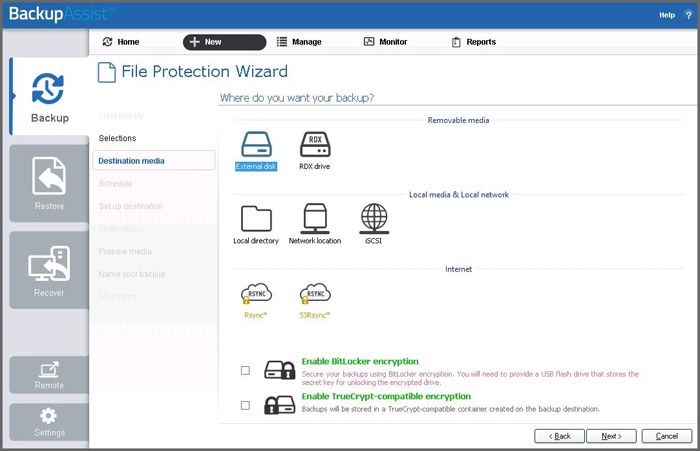
1. Select the backup destination you're wanting to use.
2. Tick 'Encrypt backup with TrueCrypt' and click 'Next'.
You will then need to accept the Terms and Conditions of installing TrueCrypt and the installation of TrueCrypt will be placed in C:\Program Files (x86)\BackupAssist v6\TrueCrypt\.
| Last updated | Created | Further assistance |
|---|---|---|
| 20th Mar 2017 | 10th Jun 2010 | BackupAssist Support page |