BA5101: BitLocker key folder not found
| Error code | Product | Applies to |
|---|---|---|
| BA5101 | BackupAssist | BackupAssist v8.2 and later. |
Description
Cannot find the folder "BABitLockerKeys" in the USB media that is used to store the encryption key.
Resolution
Prepare the BitLocker destination drive again.
To prepare media follow the steps below:
- Open BackupAssist.
- Select Manage Backup Jobs.
- Select the backup job.
- Select Edit from the top menu.
- Select Prepare Media from the top menu.
- Attach the drive you want to be prepared.
- Click Prepare on the relevant media name.
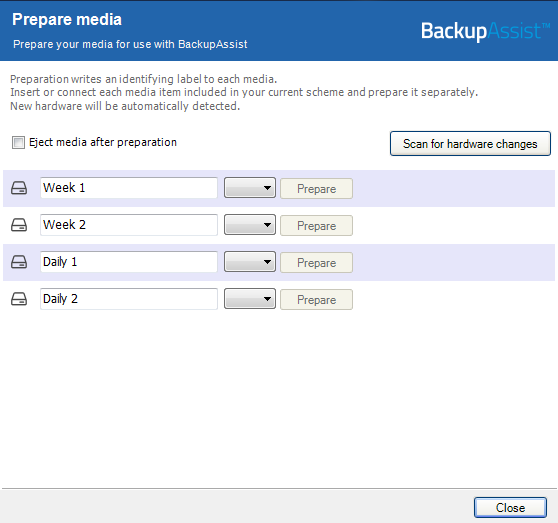
The media will then be assigned to that media label. For example a disk prepared for the 'Monday' label will be expected by BackupAssist each Monday.
| Last updated | Created | Further assistance |
|---|---|---|
| 11th Nov 2014 | 11th Nov 2014 | BackupAssist Support page |