BA5301: Cannot back up to a destination hosting a rapidly recovered Hyper-V guest
| Error code | Product | Applies to |
|---|---|---|
| BA5301 | BackupAssist | BackupAssist v9 and later |
Description
The destination selected for your backup job is being used to host a rapidly recovered guest. You cannot use a media that contains a rapidly recovered guest as a backup destination.
Resolution
There are 2 possible resolutions for this problem
Resolution 1 - Select another backup destination.
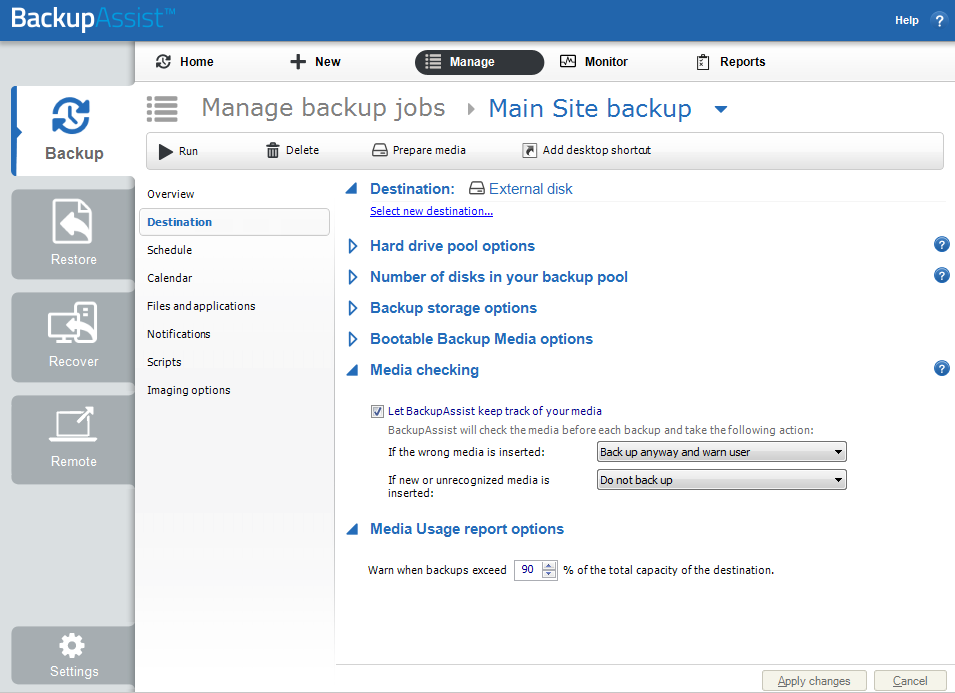
Follow these instructions to select another backup destination:
- Open BackupAssist.
- Select Manage Backup Jobs
- Select the backup job.
- Select Edit from the top menu
- Select Destination from the options on the left
- Use the Select new destination link to select a new backup destination
- Provide the requested details and save your changes
Resolution 2 - Stop the Rapid VM Recovery
To learn how to stop a Rapid VM Recovery, see our Rapid VM Recovery guide.
| Last updated | Created | Further assistance |
|---|---|---|
| 20th Aug 2015 | 19th Aug 2015 | BackupAssist Support page |