BA5904: Shadow Storage was moved to a different volume
| Error code | Product | Applies to |
|---|---|---|
| BA5904 | BackupAssist | BackupAssist v8 and later |
Description
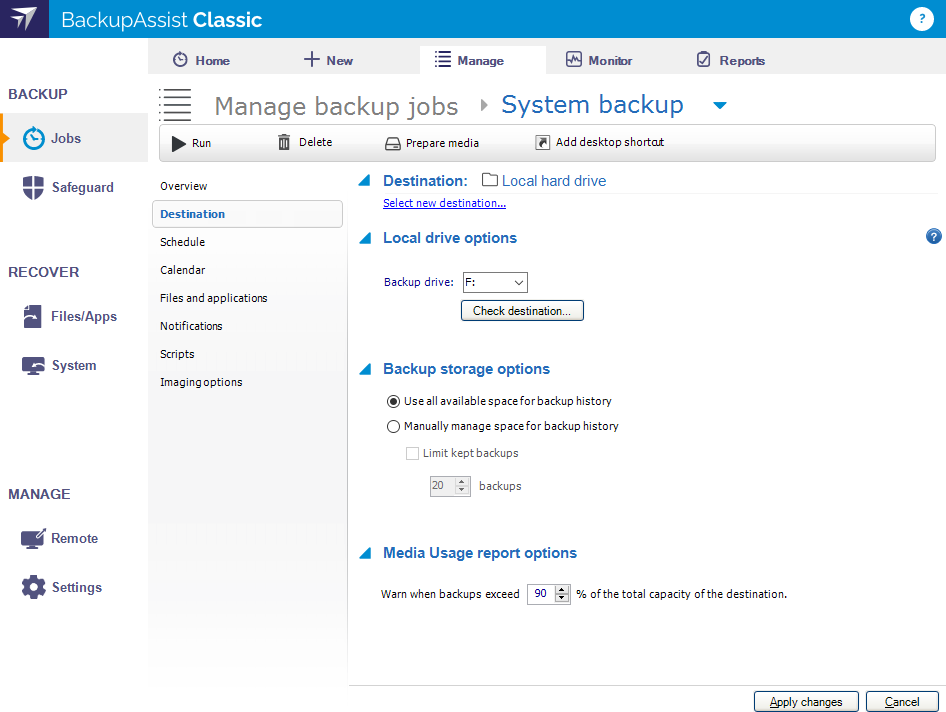
This warning is reported when the Backup history storage option Use all available space for backup history is selected and BackupAssist detects that the Shadow Storage for the backup destination was moved to another volume.
Resolution
If the Shadow Storage location was move accidentally, it should be moved back. If the Shadow Storage was moved intentionally, switch to the Manually manage space for backup history option, using the following steps:
- Select the Jobs tab
- Select the Manage menu
- Select the backup job
- Select Edit from the top menu
- Select Imaging options from the left menu
- Go to the Backup history storage section
- Select Manually manage space for backup history
Alternatively, you can delete this Shadow Storage and let BackupAssist recreate it on the backup destination the next time the job runs.
| Last updated | Created | Further assistance |
|---|---|---|
| 06th May 2014 | 06th May 2014 | BackupAssist Support page |