BA7000: Incorrect Cloud Backup password used
| Error code | Product | Applies to |
|---|---|---|
| BA7000 | BackupAssist | For BackupAssist 10 or later. |
Description
The wrong password has been used by the backup job to access the cloud destination.
Resolution
Edit the Cloud Backup job, and enter the correct password into the fields provided.
To edit the backup destination:
-
Open BackupAssist.
-
Select Manage Backup Jobs
-
Select the backup job.
-
Select Edit from the top menu
-
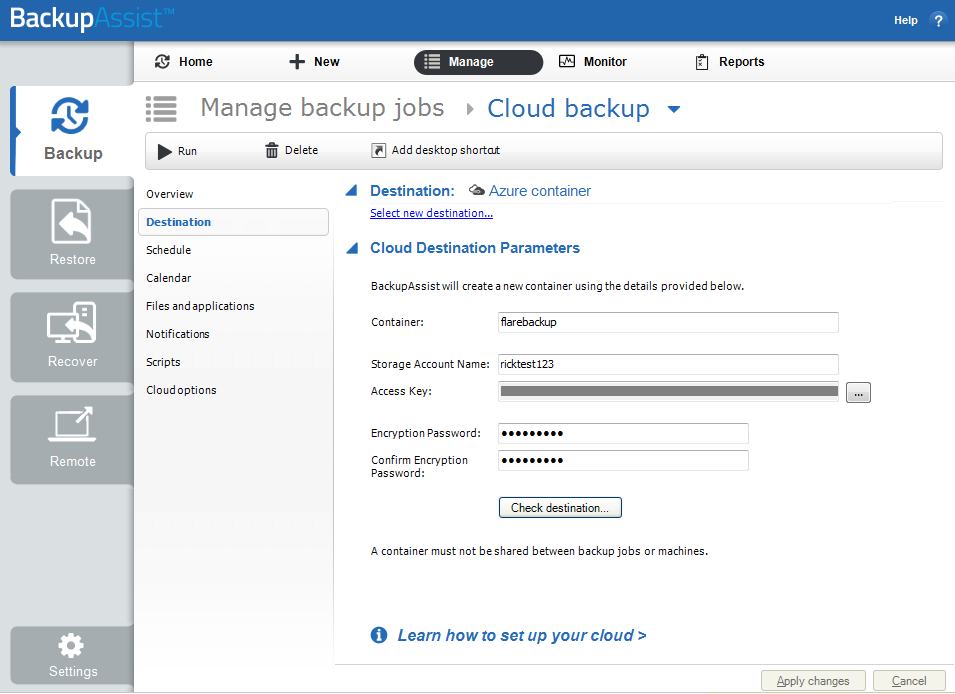
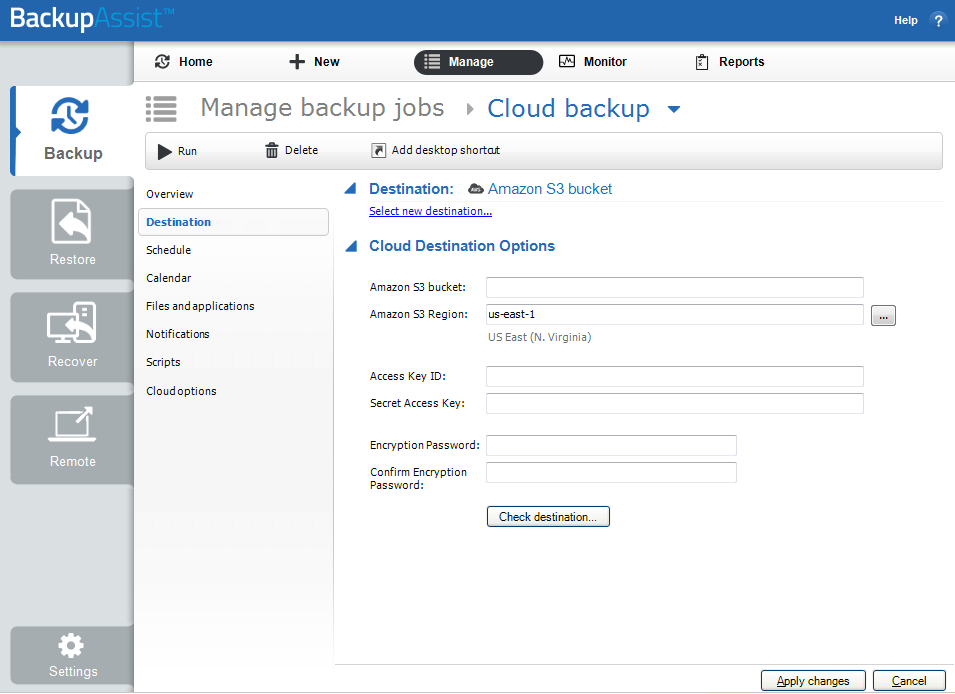
Select Destination from the options on the left
-
Enter the correct password into the fields provided.
-
Use the Check destination button to check the credentials provided.
Azure container
|
Amazon S3 bucket
|
| Last updated | Created | Further assistance |
|---|---|---|
| 11th April 2017 | 29th March 2017 | BackupAssist Support page |