BA72: This backup job uses a trial Exchange Granular add-on that will expire
End of life
Exchange Granular Restore reached end of life on 23 September 2025 and is not part of BackupAssist Classic v15. If you have the Exchange Granular add-on, you can keep using it with BackupAssist Classic v14 and earlier, but without technical support. To restore a whole Exchange database, see Exchange Server restore. To back up Microsoft 365 mailboxes, see BackupAssist 365.
| Error code | Product | Applies to |
|---|---|---|
| BA72 | BackupAssist | 7.4.0 and higher |
Description
These license expiry warnings begin 15 days before the trial period ends. They serve as reminders so that licenses can be purchased in time to avoid interruptions to your backup schedule.
Resolution
Resolution 1 - Purchase a BackupAssist license
To purchase the license, please visit our BackupAssist purchasing page.
Resolution 2 - Activate your BackupAssist license
- On BackupAssist's top menu, select Help > Licensing
- Enter and activate (or reactivate) your product key using the fields provided.
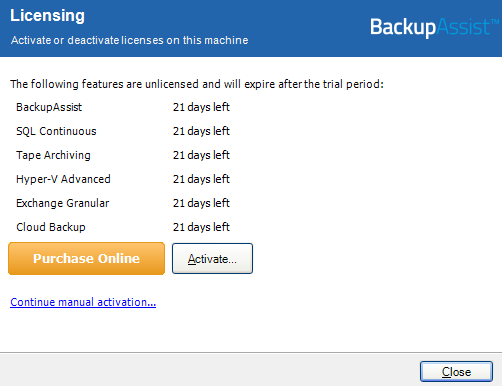
To learn more about license activation, visit our Customer license activation & deactivation guide.
| Last updated | Created | Further assistance |
|---|---|---|
| 8th June 2018 | 05th Dec 2013 | BackupAssist Support page |