BA739: Could not delete reparse point
| Error code | Product | Applies to |
|---|---|---|
| BA739 | BackupAssist | BackupAssist v5 and later |
Description
BackupAssist does not support reparse points.
A reparse point is a special type of file which causes a redirection in the file system. A junction point is a specific type of reparse point. The other types are mount points and symbolic links. A junction point can be created on an empty directory and points to another directory somewhere on the file system.
To learn more about reparse points, visit https://msdn.microsoft.com/en-us/library/aa365503(VS.85).aspx
Resolution
There are 2 possible ways to address this.
Option 1 - Deselect the reparse points from the backup set.
The reparse points that generated the warning are listed within the backup report.
You can identify these reparse points using the backup report and then deselect them in the backup job.
The steps to do deselect them are as follows:
- Open BackupAssist.
- Select Manage Backup Jobs
- Select the backup job.
- Select Edit from the top menu
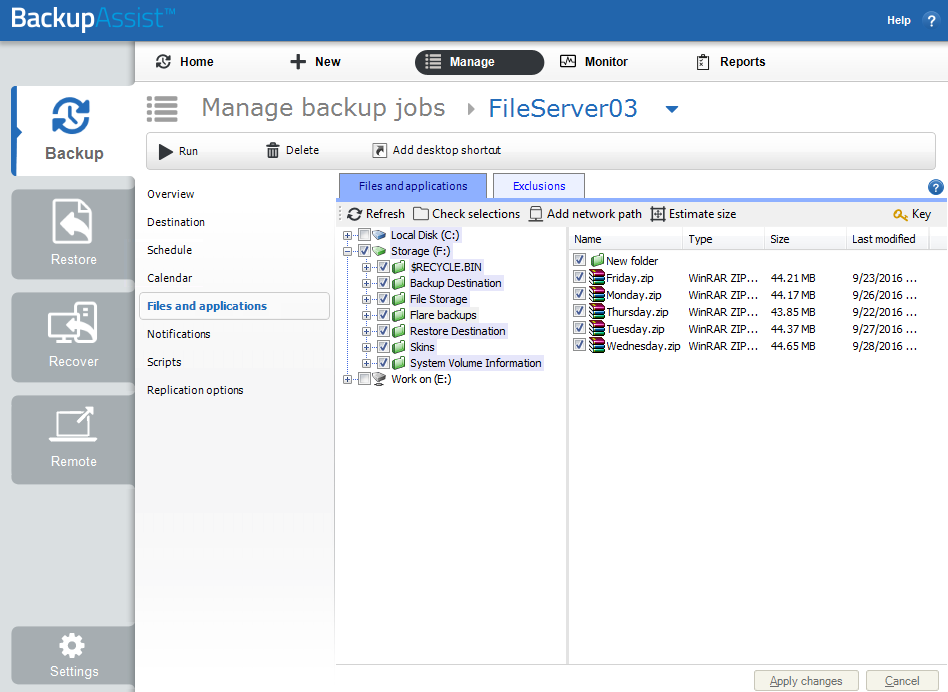
- Select Files and Applications from the options on the left
- Browse through the file hierarchy and deselect the reparse points
Option 2 - Advise BackupAssist not to warn about reparse points
The steps to do this are as follows:
- Open BackupAssist.
- Select Manage Backup Jobs
- Select the backup job.
- Select Edit from the top menu
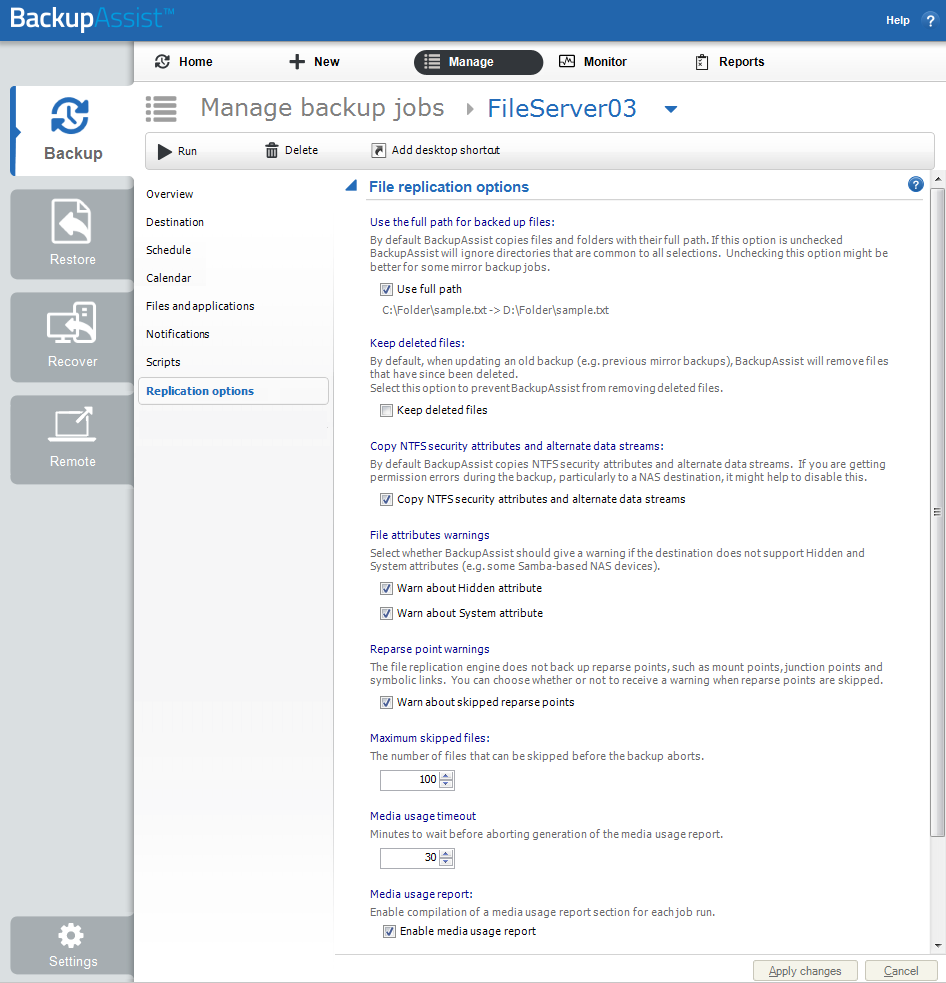
- Select Replication Options from the options on the left
- Untick Warn about skipped reparse points
| Last updated | Created | Further assistance |
|---|---|---|
| 27th Aug 2015 | 18th Aug 2015 | BackupAssist Support page |