BA740: Could not read source file because it is encrypted by NTFS
| Error code | Product | Applies to |
|---|---|---|
| BA740 | BackupAssist | For BackupAssist 10.4.2 or later. |
Description
This error will occur if the backup job encounters a permissions issue with files that have NTFS encryption. A list of the effected files is shown in the backup report.
Resolution
Solution 1 - Use an System Protection backup for this data
Replace the current backup job with a System Protection job.
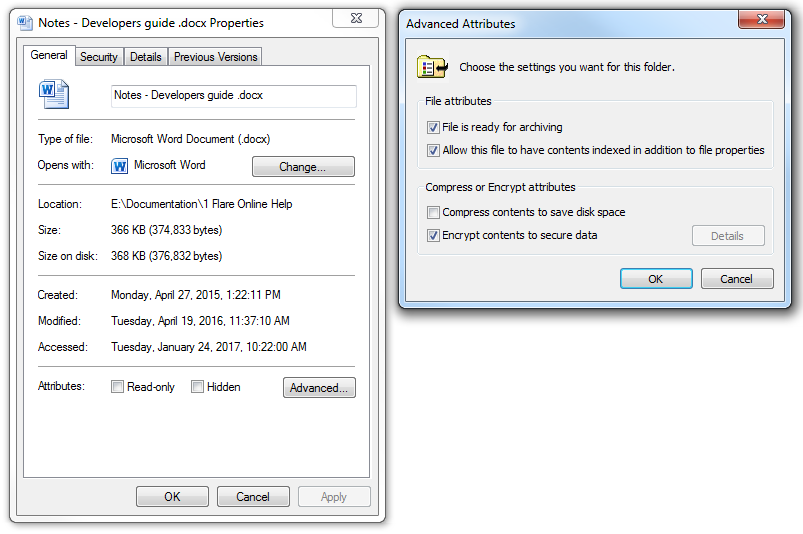
Solution 2 - Turn off NTFS encryption for the effected files or folders.
To remove the encryption:
- Right click the file or folder.
- Select Properties.
- Select Advanced on the General tab.
- Deselect Encrypt contents to secure data.
- Select OK.
| Last updated | Created | Further assistance |
|---|---|---|
| 13th September 2018 | 13th September 2018 | BackupAssist Support page |