BA90: The backup job has failed because there is no active Cloud Backup add-on license.
| Error code | Product | Applies to |
|---|---|---|
| BA90 | BackupAssist | BackupAssist - all versions |
Description
Your Cloud Backup job has failed to run for one of the following reasons:
- The free trial period has expired.
- Your Standalone Cloud Backup or Cloud Backup add-on license has not been activated or it has been deactivated.
Resolution
Resolution 1 - Activate / reactivate your Cloud Backup add-on license
Follow these steps:
-
On BackupAssist's top menu, select Help > Licensing.
-
Enter and activate (or reactivate) your product key using the fields provided.
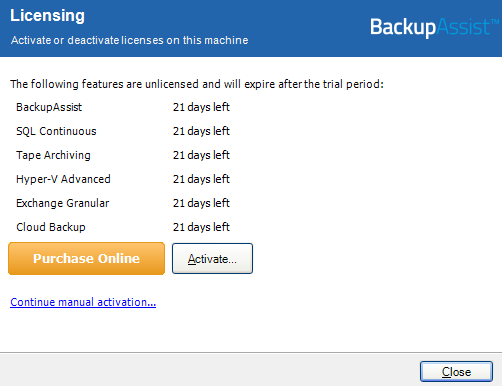
To learn more about license activation, visit our Customer license activation & deactivation guide.
Resolution 2 - Purchase the Cloud Backup Standalone
To purchase the license, please visit our BackupAssist purchasing page.
The difference between a Standalone and Add-on license can be found at our comparison page.
| Last updated | Created | Further assistance |
|---|---|---|
| 12th April 2017 | 15th December 2008 | BackupAssist Support page |